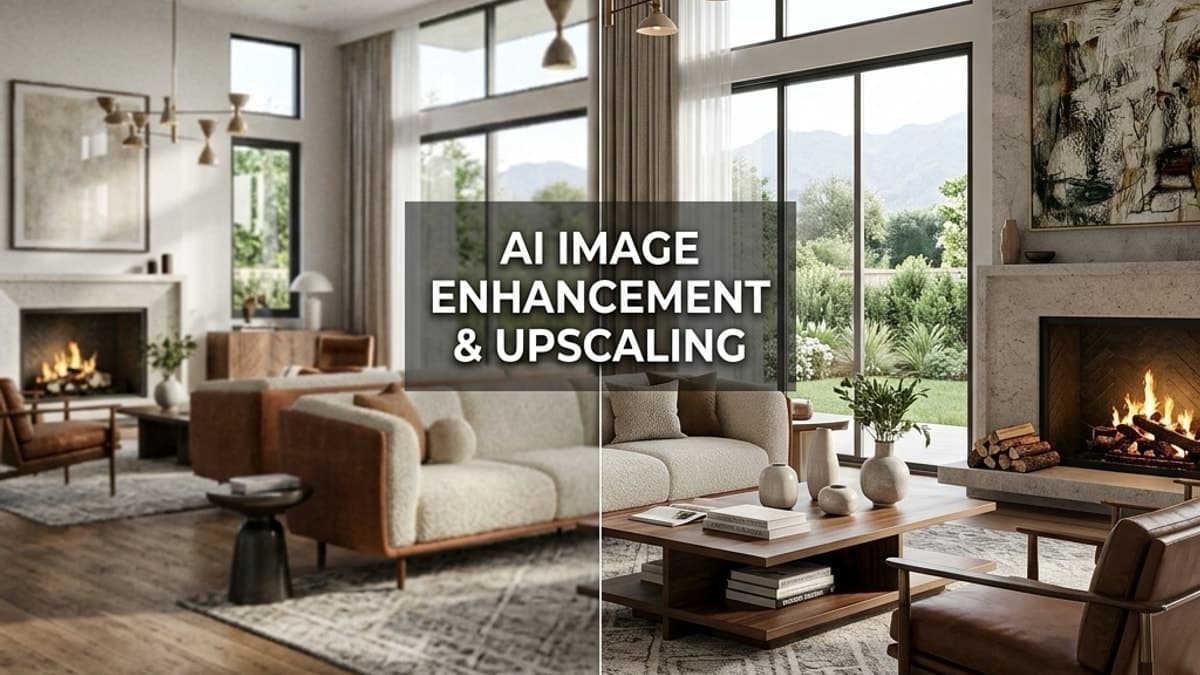
SketchUp is fast and intuitive for 3D modeling, but it is not the only part of a visualization workflow. Once a model is ready, the right rendering software can make the difference between a basic viewport and a convincing client presentation.
The best rendering software for SketchUp depends on how you work. V-Ray offers far more manual control than most alternatives. Enscape is built around real-time visualization while you design. D5 Render and Twinmotion are strong options if you want a dedicated real-time environment. AI renderers reduce setup even further when the priority is producing presentation images quickly.
This guide compares the main SketchUp rendering options in 2026 based on the kind of work they are best suited to, how closely they integrate with SketchUp, ease of use, hardware requirements, and whether a free option is available.
Disclosure: Vibe3D is included in this comparison because it offers a browser-based AI rendering workflow. We've evaluated it using the same criteria as the other tools.
Best Rendering Software for SketchUp at a Glance
| Software | Best for | Workflow | Learning curve | Free option |
|---|---|---|---|---|
| V-Ray | Maximum rendering control | SketchUp plugin | High | Trial |
| Enscape | Real-time visualization while designing | SketchUp plugin | Low to moderate | Trial |
| D5 Render | Free real-time rendering | Standalone + LiveSync | Low to moderate | Free edition |
| Twinmotion | Environments, animation and presentations | Standalone + Direct Link | Low to moderate | Free for eligible users |
| Lumion | Large architectural scenes and animation | Standalone + SketchUp integration | Moderate | Trial / education options |
| SU Podium | Straightforward traditional rendering | SketchUp plugin | Low to moderate | Trial |
| Vibe3D | Fast AI-generated presentation renders | Browser-based | Low | Free renders to start |
| SketchUp AI Render | AI concepts inside SketchUp | Built-in / extension | Low | Depends on SketchUp plan and AI credits |
| Visoid | AI architectural visualization | AI renderer | Low | Trial / plan dependent |
| Blender | Free full 3D rendering workflow | Standalone | High | Free and open source |
The important distinction is not simply which renderer produces the "best" image. It is what kind of rendering workflow you actually need.
How We Compared the Renderers
We looked at five practical questions that matter to SketchUp users:
- SketchUp workflow: Does the renderer work directly inside SketchUp, sync with it, or require an exported image or model?
- Visual control: How much control do you have over lighting, materials, cameras, and the final result?
- Ease of use: How much rendering knowledge is required before you can produce a useful image?
- Hardware: Does rendering rely heavily on your local computer or happen in the cloud?
- Use case: Is the software better suited to still images, live walkthroughs, animation, design exploration, or fast presentation renders?
The sections below are organized by where each tool fits best rather than forcing every product into a single overall ranking.
V-Ray for SketchUp: Best for Maximum Control
V-Ray for SketchUp is one of the most established rendering plugins available for SketchUp.
It gives users detailed control over materials, lights, cameras, environments, reflections, global illumination, and rendering quality. That makes it particularly suitable for visualization work where the final image needs to be carefully art-directed.
What V-Ray does well
- High photorealistic quality ceiling
- Detailed material and lighting controls
- Direct SketchUp integration
- Strong ecosystem for architectural visualization
- Suitable for demanding still-image production
Where it may not be the best fit
V-Ray has more settings and concepts to learn than most of the tools in this guide. If you mainly need fast client visuals and do not want to manage rendering parameters, much of that control may be unnecessary.
It also relies more heavily on local hardware than browser-based rendering workflows.
Choose V-Ray if: you care most about precise control and are willing to invest time in learning a professional render engine.
If you are comparing lighter workflows, see our full guide to V-Ray alternatives.
Enscape: Best for Real-Time Rendering While You Design
Enscape for SketchUp is built around real-time visualization.
You can launch a rendered view alongside SketchUp and see design changes reflected as you work. That makes it particularly useful during design development, presentations, and live client reviews.
What Enscape does well
- Real-time rendering
- Close integration with SketchUp
- Walkthroughs and live navigation
- Relatively approachable interface
- Still images, panoramas and animation workflows
Where it may not be the best fit
Enscape makes the most sense when real-time feedback is part of your workflow. If you only need occasional finished still images, a dedicated real-time renderer may be more software than you need.
Rendering performance also depends on your computer.
Choose Enscape if: you want to design in SketchUp while seeing the project rendered in real time.
For a deeper walkthrough, read our Enscape for SketchUp guide.
D5 Render: Best Free Real-Time Rendering Option
D5 Render combines a standalone real-time visualization environment with LiveSync for SketchUp.
Changes to the SketchUp model can synchronize into D5 while you work, and the renderer includes its own materials, assets, lighting, environment tools, and animation features.
D5 is particularly notable because it offers a free edition rather than only a time-limited trial.
What D5 Render does well
- Real-time rendering
- SketchUp LiveSync
- Free edition
- Large visualization and asset workflow
- Still images and animation
- Useful balance between accessibility and control
Where it may not be the best fit
You are still working in a separate visualization application, so the workflow involves more scene setup than a simple browser-based AI renderer. GPU requirements also matter.
Choose D5 Render if: you want a capable real-time renderer and a useful free option is important.
If you are comparing lighter or AI-based workflows, see our D5 Render alternatives.
Twinmotion: Best for Environments and Presentation Workflows
Twinmotion is Epic Games' real-time architectural visualization tool.
SketchUp Pro can connect to Twinmotion through Datasmith Direct Link, letting users synchronize models into a dedicated environment for materials, vegetation, people, weather, animation, panoramas, and presentation experiences.
What Twinmotion does well
- Real-time visualization
- SketchUp Pro Direct Link
- Strong landscaping and environment workflow
- Animation and presentation tools
- Large asset ecosystem
- Generous free licensing for eligible users
Where it may not be the best fit
Twinmotion adds another application to the workflow. If all you need is a single realistic still image, its broader environment and presentation toolset may be unnecessary.
Choose Twinmotion if: your SketchUp project needs context, landscaping, animation, or immersive presentation features in addition to rendering.
See our Twinmotion alternatives if you want a lighter or different presentation workflow.
Lumion: Best for Large Architectural Scenes

Lumion is another established visualization platform designed specifically around architecture.
It works well when the rendering process involves more than the building itself: vegetation, terrain, people, context, weather, lighting, and animation can all become part of the presentation scene.
What Lumion does well
- Architectural visualization focus
- Large scene and environment workflow
- Real-time visualization
- Extensive assets and effects
- Strong exterior and animation use cases
- SketchUp integration
Where it may not be the best fit
Lumion is a substantial desktop visualization application. If your workflow is mostly interior still images or occasional presentation renders, you may not need its full scene-building environment.
Choose Lumion if: you frequently visualize larger architecture and landscape scenes or produce animated presentations.
For other approaches to the same job, compare our Lumion alternatives.
SU Podium: Best for a Simpler Traditional SketchUp Plugin
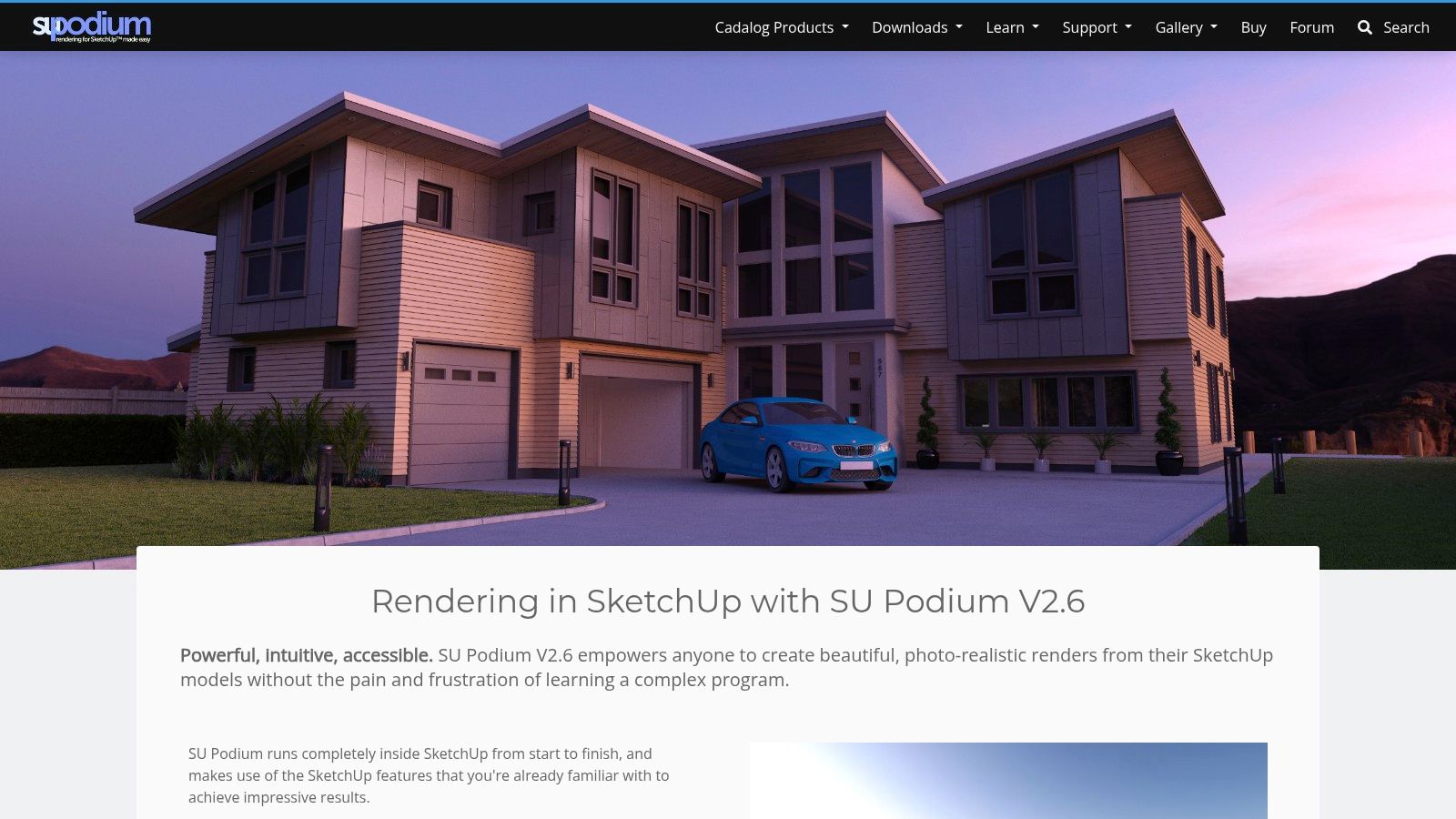
SU Podium takes a more traditional approach but is designed specifically around SketchUp and ease of use.
It produces photorealistic images using lighting, materials, reflections, and other familiar rendering concepts without exposing the same depth of technical configuration as V-Ray.
What SU Podium does well
- Works directly with SketchUp
- Straightforward rendering workflow
- Lower learning curve than many advanced render engines
- Photorealistic lighting and materials
- Render-ready asset and material ecosystem
Where it may not be the best fit
Podium does not provide the same deep technical control as V-Ray or the large real-time environment workflow of D5, Twinmotion, or Lumion.
Choose SU Podium if: you specifically want a conventional SketchUp render plugin but prefer a simpler workflow.
Vibe3D: Best for a Lightweight AI Rendering Workflow
Vibe3D approaches SketchUp rendering differently from the traditional tools above.
Instead of synchronizing the 3D model with a render engine, you choose the camera view in SketchUp, export it as a PNG or JPG, and upload that image to Vibe3D. The rendering itself happens in the browser.
AI interprets the SketchUp view and generates a more realistic version while retaining the overall design and camera composition.
What Vibe3D does well
- No SketchUp rendering plugin required
- No local rendering workstation required
- Very little rendering setup
- Fast workflow for still images
- Useful for interior and architectural presentation renders
- Additional editing, relighting, enhancing, and flythrough tools after rendering
- Works with views exported from different 3D modeling applications, not only SketchUp
Where it may not be the best fit
Vibe3D is not a conventional physically based render engine.
You do not get the same low-level control over every light, shader, material property, render pass, or sampling parameter that you would with V-Ray. It also does not provide the continuously synchronized 3D walkthrough workflow offered by Enscape, D5, Twinmotion, or Lumion.
That trade-off is deliberate: the workflow favors speed and simplicity over detailed render-engine control.
Choose Vibe3D if: you already have the design and camera view and mainly want to turn it into a realistic presentation image without learning or configuring a traditional renderer.
SketchUp AI Render: Best for AI Exploration Inside SketchUp
SketchUp AI Render brings generative rendering directly into the SketchUp ecosystem.
It combines the active SketchUp viewport with prompts or preset styles to generate new images, with additional tools for refining selected parts of the result.
On SketchUp Desktop, AI Render is provided as an extension. It is also available through supported SketchUp interfaces, with generation tied to SketchUp AI credits.
What SketchUp AI Render does well
- Integrated with SketchUp
- Minimal setup
- Fast concept generation
- Preset and prompt-based workflow
- Localized AI editing tools
Where it may not be the best fit
Generative AI rendering is less deterministic than a traditional render engine. Users who need exact material, lighting, and scene parameters across repeated production outputs may prefer conventional rendering software.
Choose SketchUp AI Render if: you want rapid concept exploration and AI-generated visuals without leaving SketchUp.
Visoid: Another AI Option for Architectural Visualization
Visoid is focused on AI visualization for architectural projects.
Like Vibe3D and SketchUp AI Render, it removes many traditional rendering controls and instead emphasizes rapid image generation and visual exploration.
What Visoid does well
- AI-based visualization
- Architecture-focused workflow
- Photorealistic and stylized outputs
- Reference-image workflows
- Low technical barrier
Where it may not be the best fit
It offers less manual physical rendering control than tools such as V-Ray and does not replace a full real-time 3D environment such as Enscape, D5, Twinmotion, or Lumion.
Choose Visoid if: you want another AI-first visualization workflow rather than a conventional rendering engine.
Blender: Best Free Full 3D Rendering Workflow
Blender is not a SketchUp plugin, but it is one of the strongest genuinely free options if you are willing to move into a separate 3D application.
You can bring SketchUp geometry into Blender, rebuild or refine materials and lighting, and render with Cycles for physically based output or Eevee for faster real-time previews. Blender also includes modeling, animation, compositing, and post-production tools, so it can replace much more than a renderer.
What Blender does well
- Free and open source
- No ongoing renderer license cost
- Cycles for physically based rendering
- Eevee for fast real-time previews
- Full animation and compositing workflow
- Large community and add-on ecosystem
Where it may not be the best fit
Blender is not tightly integrated with SketchUp, and moving a project between the two applications takes more setup than a plugin or LiveSync workflow. The learning curve is also considerably higher than AI or lightweight real-time renderers.
Choose Blender if: you want a free, highly customizable rendering workflow and are comfortable investing more time in setup and learning.
Best SketchUp Rendering Software by Use Case
Rather than choosing a universal winner, this is how we would shortlist them.
For maximum photorealistic control
V-Ray
The strongest fit when you want to control materials, lights, render parameters, and the final image in detail.
For real-time rendering inside your design workflow
Enscape
A good fit when seeing changes rendered immediately while working in SketchUp matters more than deep render configuration.
For free real-time rendering
D5 Render
A strong starting point for users who want a dedicated visualization environment without committing to paid software immediately.
For environments and architectural presentations
Twinmotion or Lumion
Both are better suited than lightweight renderers when landscaping, context, assets, animation, and presentation environments are major parts of the job.
For a simple traditional SketchUp plugin
SU Podium
Worth considering if you want to stay with a conventional rendering workflow while avoiding some of V-Ray's complexity.
For fast AI presentation renders
Vibe3D
Useful when the SketchUp model and camera are already resolved and you want to minimize rendering setup.
For AI generation directly inside SketchUp
SketchUp AI Render
The most obvious option if staying entirely within the SketchUp ecosystem is the priority.
For a free full 3D production workflow
Blender
A better fit than a lightweight renderer if you want a free tool with deep control over materials, lighting, animation, and post-production.
What Is the Easiest Rendering Software for SketchUp?
"Easy" depends on what you want the software to do.
If you want to avoid traditional rendering settings almost entirely, Vibe3D and SketchUp AI Render have the lowest technical barrier because AI handles much of the visual interpretation.
If you want to keep a live connection to the actual SketchUp model, Enscape is one of the easier real-time workflows to learn.
If you specifically want a conventional rendering plugin, SU Podium is designed to be more approachable than advanced render engines.
The main trade-off is simple: more manual control usually means more setup and a steeper learning curve.
Best Free Rendering Software for SketchUp
If "free" is a hard requirement, pay attention to whether a product has an ongoing free tier or only a trial.
Blender
Blender is completely free and open source. It offers the deepest rendering and post-production toolkit among the free options here, but it also has the steepest learning curve and requires moving the project into a separate 3D workflow.
D5 Render
D5 provides a free edition and a SketchUp LiveSync workflow, making it one of the more practical options for users who want to continue rendering beyond a short evaluation period.
Twinmotion
Twinmotion is free for qualifying students, educators, hobbyists, individuals, and organizations below Epic Games' applicable revenue threshold. Its free licensing is particularly attractive because the core renderer remains fully capable.
Trials and limited free usage
V-Ray, Enscape, SU Podium, Lumion, and many AI renderers offer trials, limited free usage, education access, or other evaluation options rather than unrestricted permanent free commercial use.
Always check the current license terms before choosing software specifically on price, since these policies can change.
What Is the Best AI Renderer for SketchUp?
AI rendering is best treated as a separate category rather than a direct replacement for every conventional renderer.
Vibe3D
A fit for designers who want to turn exported SketchUp views into realistic architectural presentation images with minimal setup.
SketchUp AI Render
A fit for users who want generative visualization directly inside SketchUp.
Visoid
Another option for architecture-focused AI rendering and visual exploration.
Traditional renderers still have the advantage when exact physical parameters, predictable repeatability, and granular material or lighting control are critical.
AI rendering has the advantage when speed, iteration, and ease of use matter more.
SketchUp Rendering Plugin vs Real-Time Renderer vs AI Renderer
The easiest way to narrow the field is to choose the type of workflow first.
Traditional SketchUp rendering plugins
V-Ray and SU Podium
Best when you want the rendering process closely connected to SketchUp and prefer conventional lighting and material controls.
Real-time visualization tools
Enscape, D5 Render, Twinmotion, and Lumion
Best when you want live visualization, walkthroughs, environments, animation, or an expanded presentation scene.
AI rendering tools
Vibe3D, SketchUp AI Render, and Visoid
Best when you want to reduce technical setup and generate realistic or conceptual images quickly.
Full 3D production workflow
Blender
Best when you want a free, customizable rendering and animation pipeline and do not mind moving the SketchUp project into another application.
Once you know which category fits your work, comparing individual products becomes much easier.
Five Questions to Ask Before Choosing a SketchUp Renderer
1. Are you rendering still images or walkthroughs?
A renderer that excels at a single architectural still is not necessarily the best tool for a live presentation or animated walkthrough.
2. Do you want control or speed?
V-Ray sits toward the control end of the spectrum. AI renderers sit toward the speed and simplicity end. Real-time tools occupy the middle in different ways.
3. Does the renderer need to stay synchronized with SketchUp?
If constant model changes are part of the workflow, Enscape, D5, Twinmotion, or Lumion may be more convenient than repeatedly exporting views.
4. What hardware are you using?
Real-time and traditional render engines can place significant demands on the local GPU and CPU. Cloud-based AI rendering shifts much of that workload away from the user's machine.
5. What happens after the render?
Think beyond the first image. You may need animations, panoramas, relighting, design iterations, large landscapes, or exact material control. Those requirements can change which software is the better fit.
Final Thoughts
The SketchUp rendering market is broad enough that declaring one tool "the best" without context is not particularly useful.
V-Ray is difficult to beat when detailed rendering control is the priority.
Enscape is especially useful when rendering needs to happen alongside the design process.
D5 Render gives users an accessible path into real-time visualization with a free option.
Twinmotion and Lumion make more sense when the visualization extends into landscaping, environments, animation, and presentation.
SU Podium remains relevant for SketchUp users who want a relatively straightforward traditional plugin.
Blender is the strongest fully free option here if you want a complete 3D production workflow and are comfortable with a steeper learning curve.
And AI tools such as Vibe3D, SketchUp AI Render, and Visoid offer a different trade-off: less technical setup and faster iteration, with less granular control than a conventional render engine.
The right choice depends less on which renderer wins a feature checklist and more on where rendering fits into your design process.
If you already know that you want a simple rendering workflow rather than a software comparison, see our guide on how to render in SketchUp.
Frequently Asked Questions
What is the best rendering software for SketchUp?
There is no single best option for every workflow. V-Ray is strong for detailed rendering control, Enscape for real-time SketchUp visualization, D5 Render for accessible real-time rendering, Twinmotion and Lumion for broader architectural presentation environments, Blender for a free full-production workflow, and AI tools for fast image generation with less setup.
Which renderer is easiest for SketchUp beginners?
SketchUp AI Render and browser-based AI tools have a low technical barrier because they remove many traditional render settings. Enscape is relatively approachable if you want a real-time renderer connected directly to the SketchUp model, while SU Podium is a simpler conventional plugin option.
What is the best free rendering software for SketchUp?
Blender is completely free and offers a full rendering workflow, but it has a steeper learning curve and requires moving out of SketchUp. D5 Render offers a free edition with a SketchUp workflow, while Twinmotion is free for users and organizations that meet Epic Games' current eligibility conditions. Other renderers may provide trials, education licenses, or limited free usage.
Is there a free rendering plugin for SketchUp?
Free and trial licensing varies by product. D5 provides a free LiveSync workflow alongside its free renderer, while SketchUp AI Render access depends on the SketchUp plan and available AI credits. Always check current licensing before committing to a workflow.
What is the best AI rendering software for SketchUp?
It depends on whether you want to stay inside SketchUp or use a separate AI workflow. SketchUp AI Render is integrated into the SketchUp ecosystem. Vibe3D works from an exported SketchUp view in the browser. Visoid is another architecture-focused AI visualization option.
Do I need a rendering plugin for SketchUp?
No. V-Ray, Enscape, and SU Podium use plugin-based workflows, but standalone tools such as D5, Twinmotion, Lumion, and Blender can work with exported or synchronized SketchUp models. AI rendering tools can also work without a traditional SketchUp rendering plugin.
Can I render SketchUp without V-Ray?
Yes. Enscape, D5 Render, Twinmotion, Lumion, SU Podium, Blender, SketchUp AI Render, Vibe3D, and Visoid all offer alternative approaches.
Which SketchUp renderer is best for photorealistic images?
V-Ray is a strong choice when detailed manual control over photorealism is required. Real-time renderers such as Enscape, D5, Twinmotion, and Lumion can also produce realistic architectural imagery. Blender offers a capable physically based workflow through Cycles, while AI tools offer a faster approach with less manual configuration.
Which SketchUp renderer is best for Mac?
Support differs by product and can change between releases. Check the current system requirements for any renderer before purchasing. Browser-based rendering avoids many local rendering requirements, while several traditional and real-time tools also support macOS with product-specific limitations.