Lumion earns its reputation. Fast real-time rendering, a massive asset library, and a workflow architects can actually learn without a dedicated 3D artist on staff. For a lot of studios, it's the default choice for good reason.
But $1,999 per year is a real number. So is Windows-only. So is the GPU requirement that quietly demands a workstation upgrade before you can get the most out of it. For smaller studios, cross-platform teams, or anyone reassessing their software spend, those constraints add up.
The field has never been more competitive. AI-native tools, real-time engines, and cloud-based renderers have all matured significantly in the last two years. Whether you need faster iteration, lower costs, collaborative workflows, or just something that runs on your MacBook, there's a serious option worth your attention.
Here are the 12 best Lumion alternatives in 2026, ranked by how useful they are for architects and designers working at a professional level.
1. Vibe3D — The AI-Native Option Built for Architects Who Need Speed
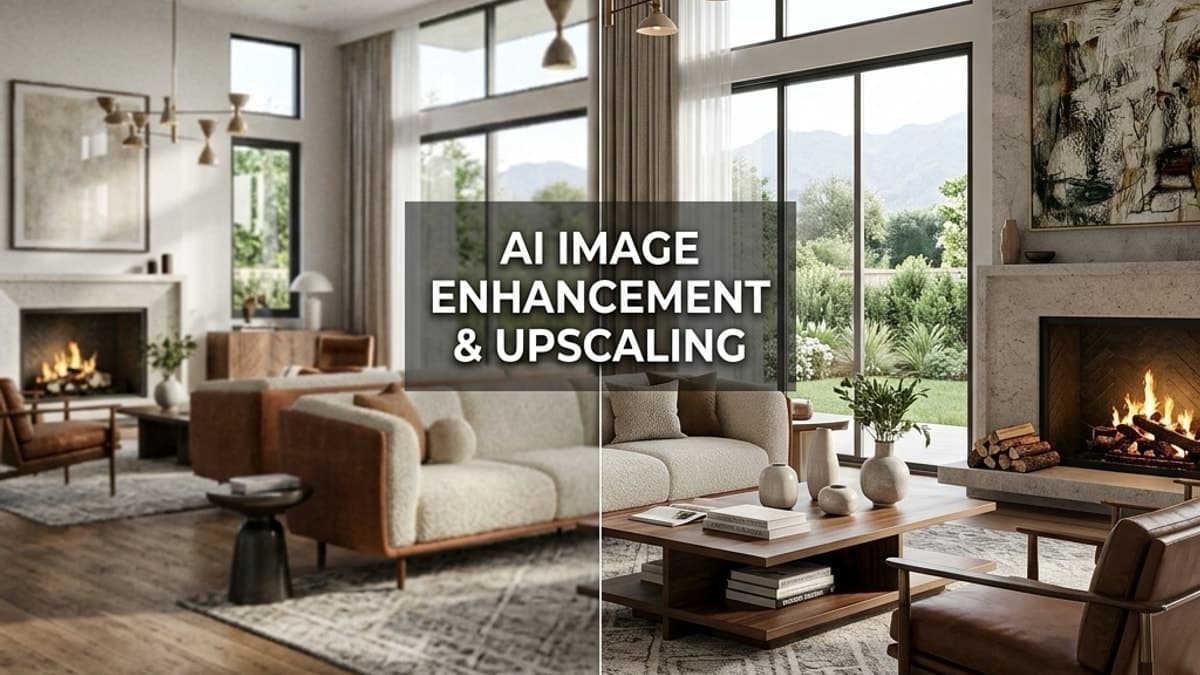
Vibe3D is an AI-powered visualization tool built specifically for architects and designers. The workflow is direct: upload your model from SketchUp, Revit, or Blender, and the AI automatically detects architectural context — room types, surfaces, spatial relationships — and produces photorealistic renders without manual scene setup.
That automatic context detection is what sets it apart. Most rendering tools require you to assign materials, configure lighting, set up cameras, and manage render settings before you see anything useful. Vibe3D handles that layer automatically. The time from model upload to presentation-ready image drops from hours to minutes.
The old bottleneck wasn't the software. It was the gap between a finished model and a finished render. Vibe3D closes that gap.
It also generates flythrough videos from the same model upload and supports one-click scene edits via text — type "change the floor to white oak" or "add afternoon sunlight" and the AI applies the change directly to the rendered scene. No re-exporting, no re-configuring.
Key features:
- Automatic context detection: No manual material assignment or scene setup required
- Photorealistic renders: From SketchUp, Revit, and Blender files
- Flythrough video generation: From the same 3D model upload
- Text-based scene edits: Change materials, lighting, or scene elements by typing
- No GPU required: Cloud-based, runs entirely in the browser
Pricing:
- Free tier: 3 renders, no credit card required
- Student plan: $9 one-time for 50 credits (requires .edu email)
- Starter plan: $19/month for 75 credits
- Pro: $39/month for 300 credits (discounted from $59)
- Studio: $79/month for unlimited usage (discounted from $129)
Best for: Architects and designers who need fast, high-quality renders for client presentations without spending hours on setup.
Limitations: Not a real-time walkthrough tool. If live, interactive client walkthroughs are a core part of your workflow, you'll want to pair it with a real-time engine.
For a full side-by-side breakdown, see the Vibe3D vs Lumion comparison.
Start Rendering for Free at Vibe3D
2. Twinmotion — Best for Real-Time Walkthroughs
Twinmotion, built by Epic Games on Unreal Engine, is the closest direct competitor to Lumion in terms of workflow and output. It's a real-time visualization tool with a large built-in asset library, one-click weather and lighting controls, and direct sync with Revit, SketchUp, Rhino, and ArchiCAD. (For a deeper look at how it stacks up against other options, see our Twinmotion alternatives roundup.)
The quality ceiling is high. With path tracing enabled, Twinmotion produces renders that rival dedicated offline renderers. And Epic's development pace means the tool keeps improving year over year.
Pricing: Free for users earning under $1M annually from Unreal Engine products. A commercial license applies beyond that threshold.
Best for: Architects who want real-time walkthroughs and high-quality stills, especially those already working in the Unreal ecosystem.
Limitations: Resource-intensive — you'll need a capable GPU. The free tier conditions can also be confusing for commercial studios trying to assess their eligibility.
3. Enscape — Best for BIM-Integrated Real-Time Rendering
Enscape runs as a plugin directly inside Revit, SketchUp, Rhino, ArchiCAD, and Vectorworks. Press play and your model is immediately walkable in real time — no export, no file conversion, no separate application to manage.
For architects working in BIM-heavy environments, that tight integration is the core selling point. Changes you make in Revit update instantly in Enscape. Clients can walk through a space in VR while you're still refining it.
Pricing: Starts at approximately $659/year per floating license (varies by region and license type).
Best for: BIM-focused studios that need real-time visualization tightly coupled to their design software.
Limitations: Windows-only. No standalone version — you need one of the supported host applications. Less flexible for non-BIM workflows.
4. D5 Render — Best Value Real-Time Renderer
D5 Render has carved out a strong position as a high-quality, accessible alternative to both Lumion and Twinmotion. It supports real-time ray tracing, has a growing asset library, and accepts imports from SketchUp, Revit, Rhino, 3ds Max, and Cinema 4D.
The quality-to-price ratio is genuinely strong. D5 Render produces photorealistic stills and animations at a price point well below Lumion, and its interface is clean enough that architects can use it without a dedicated visualizer on staff.
Pricing: Free plan available with limitations. Pro plan starts at approximately $39/month or $299/year.
Best for: Architects and designers who want real-time rendering quality close to Lumion at a significantly lower cost.
Limitations: Requires a dedicated NVIDIA GPU for real-time ray tracing. The asset library is still smaller than Lumion's.
5. V-Ray — Best for Maximum Render Quality
V-Ray, developed by Chaos Group, is the industry standard for high-end architectural visualization. It runs as a plugin for 3ds Max, SketchUp, Rhino, Revit, and Cinema 4D, and produces physically accurate renders that set the benchmark for photorealism.
If your work ends up in large-format print, award submissions, or high-end marketing materials, V-Ray's output quality is hard to match. The trade-off is complexity — V-Ray rewards expertise, and getting the most out of it requires real technical knowledge and time.
Pricing: Starts at approximately $84.90/month for V-Ray Solo (single app).
Best for: Experienced visualizers and studios where render quality is the primary concern and the time investment is acceptable.
Limitations: Steep learning curve. Render times are significantly longer than real-time tools. Not suited for quick client iteration.
6. Corona Renderer — Best for Photorealistic Stills with a Gentler Learning Curve
Corona Renderer, also from Chaos Group, targets the same quality tier as V-Ray but with a more approachable setup. Available for 3ds Max and Cinema 4D, its physically based rendering engine produces clean, natural-looking results with less manual tuning.
Interior visualization studios tend to favor Corona for its handling of artificial lighting and material response. The renders have a characteristic warmth and depth that clients respond well to.
Pricing: Included in the Chaos subscription alongside V-Ray — approximately $84.90/month for the full suite.
Best for: Interior designers and visualization studios who prioritize still image quality and want a less technical path to photorealism than V-Ray.
Limitations: 3ds Max and Cinema 4D only. No real-time preview. Not suited for animation-heavy workflows.
7. KeyShot — Best for Product and Concept Visualization
KeyShot is a standalone renderer known for speed and material quality. It's less focused on architectural visualization and more at home in product design, industrial design, and concept presentation. For architects working on furniture, fixtures, or product-integrated spaces, it's worth knowing.
The interface is genuinely simple. Drop in a model, apply materials from a large library, and renders are near-instant. No GPU required — KeyShot uses CPU rendering with a proprietary engine.
Pricing: Starts at approximately $79/month for KeyShot Web (cloud-based). Desktop licenses are available from around $199/month.
Best for: Designers who need fast, high-quality material renders for product or concept presentations.
Limitations: Not built for large architectural scenes or site-level visualization. Limited landscape and environment assets.
8. Blender Cycles — Best Free Option for High-Quality Rendering
Blender is free, open-source, and capable of producing renders that compete with any paid tool on this list. Cycles, its physically based ray-tracing engine, handles complex lighting, materials, and geometry with precision.
The catch is time investment. Blender has a notoriously steep learning curve, and setting up a full architectural scene from scratch — materials, lighting, camera, post-processing — takes real effort. For studios with a dedicated 3D artist, it's an outstanding tool. For architects who need renders quickly alongside a full design workload, the setup cost is high.
Pricing: Free.
Best for: Studios with dedicated 3D artists who want maximum control and zero licensing cost.
Limitations: Significant learning curve. No direct plugin integration with Revit or ArchiCAD. Requires more manual steps than any other tool on this list.
9. Gendo — Best for Collaborative Early-Stage Design Exploration
Gendo is an AI-native design canvas built for architecture teams working in the early stages of a project. Rather than importing finished 3D models, it focuses on sketch-to-render workflows — upload a concept sketch, and the AI generates rendered interpretations of it. Teams can swap materials, apply style transfers, and explore design directions together in a shared workspace.
It's a fundamentally different tool from Lumion. Where Lumion is a production renderer for finished or near-finished models, Gendo is a design exploration environment for ideas that aren't fully resolved yet. That distinction matters — it's not a replacement for production rendering, it sits earlier in the workflow.
The platform is GDPR-compliant with EU-based hosting, which matters for European studios handling client data under strict data governance requirements.
Pricing: Free plan available. Studio plan starts at £79/month (approximately $100/month) billed monthly, or £66/month billed annually.
Best for: Architecture studios that need a collaborative workspace for early-stage design exploration, concept development, and client feedback before the model is finalized.
Limitations: No 3D model import pipeline. No automatic context detection. No flythrough video generation. Not a production rendering tool.
10. MyArchitectAI — Best for Quick AI Concept Renders
MyArchitectAI is an AI rendering tool aimed at architects who want fast concept visuals from sketches or reference images. Upload a floor plan sketch or a rough perspective, describe the style you want, and the AI generates rendered options.
It's positioned at the concept and early client presentation stage rather than final production. Output quality is good enough for mood boards, early design reviews, and client alignment conversations — not for final marketing materials.
Pricing: Plans start at approximately $29/month.
Best for: Architects who need quick concept renders for early client conversations without committing to a full 3D model workflow.
Limitations: Output quality is not at production level. Limited control over specific materials and lighting. Not suitable for detailed technical presentations.
11. Veras — Best AI Style Renderer for Existing Models
Veras, by EvolveLAB, takes a different approach. It's a plugin for Revit, SketchUp, and Rhino that applies AI-generated rendering styles directly to your existing 3D model. You stay in your native design tool and use Veras to generate stylized or photorealistic renders from it — no switching applications, no separate export pipeline.
The workflow is fast and the integration is tight. Architects who want AI-assisted renders without leaving their primary design environment will find it a natural fit.
Pricing: Starts at approximately $49/month.
Best for: Architects who want AI rendering integrated directly into Revit, SketchUp, or Rhino without switching to a separate application.
Limitations: Output style can be inconsistent across complex scenes. Less control over specific material properties than a dedicated renderer like V-Ray or Cycles.
12. Visoid — Best for AI-Assisted Exterior Visualization
Visoid focuses on exterior architectural visualization using AI. Upload a model or a reference image, and the AI generates photorealistic exterior renders with contextual landscaping, sky conditions, and environmental detail.
It's a narrower tool than most on this list. But for studios that produce a high volume of exterior renders — residential developers, urban designers, landscape architects — the speed advantage is real.
Pricing: Plans vary; free tier available with limited renders.
Best for: Studios with a high volume of exterior visualization work who want faster output without manual environment setup.
Limitations: Focused primarily on exteriors. Limited interior rendering capability. Less suitable for complex mixed-use or interior-heavy projects.
How to Choose the Right Lumion Alternative
The right tool depends on where your actual bottleneck is.
If you need production-speed renders from finished models without manual setup, Vibe3D is the most direct answer. If real-time walkthroughs are central to your client presentations, Twinmotion or Enscape fit better. If maximum still image quality is the priority and you have the technical depth to use it, V-Ray or Corona Renderer are the professional standard. If you're working in early-stage design exploration with a team, Gendo serves a different need entirely.
No single tool wins every category. Most professional studios end up using two: one for fast iteration and client communication, one for final production renders. That's not a workaround — it's just how the workflow actually runs.
Start Rendering Without the Setup
If you're spending more time configuring render settings than refining your design, that's worth fixing. Vibe3D's AI rendering workflow handles the setup automatically — upload your SketchUp, Revit, or Blender model and get photorealistic renders in minutes, not hours. The free tier gives you three renders with no credit card required.
FAQs
What is the best free Lumion alternative? Blender Cycles is the most capable free option, but it requires significant technical investment. For architects who want free AI-assisted renders without the learning curve, Vibe3D's free tier (3 renders, no credit card) and D5 Render's free plan are more practical starting points.
Which Lumion alternative works best for Revit users? Enscape integrates directly into Revit as a plugin and offers real-time visualization with no export step. Twinmotion also supports direct Revit sync. For AI-generated photorealistic stills from Revit models, Vibe3D accepts Revit file uploads and handles rendering automatically.
Is there a Lumion alternative that works on Mac? Lumion is Windows-only, which is a significant constraint. Twinmotion now supports macOS. Vibe3D runs entirely in the browser and works on any operating system. Blender Cycles also runs on Mac.
How does Vibe3D compare to Lumion for speed? Lumion is fast for a real-time renderer, but still requires manual scene setup, material assignment, and lighting configuration. Vibe3D's AI detects architectural context automatically, which means the time from model upload to finished render is significantly shorter — often under a few minutes for a standard scene.
Which tool is best for early-stage client presentations? For concept-stage presentations before a model is fully developed, Gendo's sketch-to-render workflow and MyArchitectAI are built for that stage. Once you have a 3D model, Vibe3D produces presentation-ready renders quickly without requiring a polished, fully detailed model.
What's the most affordable professional-grade Lumion alternative? D5 Render's Pro plan at approximately $299/year offers strong real-time rendering quality at a fraction of Lumion's cost. Vibe3D's Pro plan at $39/month is competitive for studios focused on photorealistic stills and flythrough videos rather than real-time walkthroughs.
Can I use multiple rendering tools in the same workflow? Yes, and many studios do. A common combination is using Vibe3D or Gendo for fast client iteration during design development, then switching to V-Ray or Corona Renderer for final production renders on high-stakes deliverables. The tools serve different stages and don't have to compete.