The best free 3D modeling software for most people is Blender — a complete, open-source suite with no paywalls. But the right pick depends on your work. For architecture, interior design, and archviz, the standouts are SketchUp Free (fast conceptual modeling), FreeCAD (parametric and BIM), and Blender (full artistic control). Beginners should start with Tinkercad or SketchUp Free; engineers reach for Fusion 360 or Onshape. All 10 tools below are free to download and use (Rhino is trial-only — flagged where it appears).
If you're an architect or designer, the goal is usually the same: model quickly, then produce a client-ready visual. This guide flags which tools fit that workflow, and how to pair them with Vibe3D's AI rendering to turn a raw model into a photorealistic image without a render farm.
Quick picks by use case
- Best for architects & interior design: SketchUp Free — intuitive push-pull modeling, huge component library, browser-based
- Best all-round (free): Blender — full modeling, sculpting, and rendering pipeline; strong for archviz
- Best for parametric CAD & BIM: FreeCAD — fully free, parametric, with a dedicated Arch/BIM workbench
- Best for absolute beginners: Tinkercad — drag-and-drop, browser-based, no install
- Best for engineering & manufacturing: Fusion 360 (Personal Use) — CAD/CAM/CAE, free for non-commercial use
- Best browser CAD with collaboration: Onshape Free — real-time multi-user editing
- Best for mesh repair & 3D scans: MeshLab — the standard for cleaning scan data
- Best code-based/parametric: OpenSCAD — reproducible, script-driven models
Free 3D modeling software at a glance
| Tool | Best for | Platform | Truly free? | Learning curve |
|---|---|---|---|---|
| Blender | All-round 3D, animation, rendering | Win / macOS / Linux | ✅ Open-source (GPL) | Steep |
| SketchUp Free | Architecture, quick concepts | Browser | ✅ Free (Trimble ID) | Easy |
| FreeCAD | Parametric CAD, 3D printing | Win / macOS / Linux | ✅ Open-source | Moderate |
| Fusion 360 (Personal) | Engineering, CAM, 3D printing | Win / macOS / Browser | ⚠️ Free non-commercial, annual renewal | Moderate |
| Rhino 3D | NURBS surface precision | Win / macOS | ❌ Paid (90-day trial) | Moderate |
| Tinkercad | Beginners, education, 3D printing | Browser | ✅ Free | Very easy |
| Onshape Free | Collaborative parametric CAD | Browser | ⚠️ Free, docs must be public | Moderate |
| Wings 3D | Low-mid poly subdivision modeling | Win / macOS / Linux | ✅ Open-source | Easy |
| MeshLab | Mesh repair, scan processing | Win / macOS / Linux | ✅ Open-source | Moderate |
| OpenSCAD | Code-driven parametric parts | Win / macOS / Linux | ✅ Open-source | Moderate (code) |
Below, we break down each tool — what it does, who it's for, and its honest limitations — followed by how we tested them and how to choose. Once your model is ready, you can turn it into a photorealistic image with Vibe3D's AI rendering or explore architectural rendering software for your full workflow.
Key takeaways
- Blender is the only fully free, open-source tool that covers the entire 3D pipeline — modeling, sculpting, animation, and rendering.
- Beginners should start with Tinkercad or SketchUp Free (both browser-based, no install).
- Engineering and 3D printing are best served by FreeCAD (fully free) or Fusion 360 (free for non-commercial use).
- Only Rhino 3D is paid; every other tool here has a genuinely free tier.
What is 3D Modeling?
3D modeling is the process of creating and shaping digital objects within a three-dimensional space. Think of it as sculpting or assembling something you could spin around and view from any angle—except, instead of marble or wood, you’re working with polygons, curves, and virtual clay.
Typically, 3D modeling comes in two main flavors:
- Hard surface modeling: Best for precise, mechanical objects like buildings, cars, furniture, or machinery. Here, you manipulate polygon shapes to build crisp edges and structured forms.
- Digital sculpting: Lets you mold virtual clay, pushing and pulling shapes to form organic creations like human faces, creatures, and characters.
3D models power a wide range of creative and professional projects: films, architectural visualizations, product prototypes, video games, and commercials. Whether you’re modeling interiors in SketchUp or designing characters for a game, 3D modeling is the foundation.
Professional software like 3ds Max or Revit carries a steep price tag, but you don't need a budget to start. The free 3D tools below offer serious capability for interior designers, architects, CGI artists, engineers, and hobbyists alike — ranging from full creation suites like Blender to specialized CAD tools like FreeCAD and Onshape.
How We Evaluated These Tools
We assessed each tool across five dimensions that matter in real projects, not just spec sheets:
- Modeling capability: The depth and versatility of the toolset for its intended workflow — polygon, parametric, sculpting, or NURBS.
- Learning curve: How quickly a new user reaches a first usable result, and the quality of available learning resources.
- Export formats: Compatibility with downstream tools — render engines, slicers, game engines, and other CAD software.
- Cost transparency: Whether "free" is genuinely free. We flag trials, non-commercial-only licenses, public-document requirements, and cloud-storage caps upfront.
- Target use case: Who each tool actually serves best — beginners, engineers, character artists, or architects.
Each entry below includes honest pros and cons, the ideal use case, and a direct link. Once you've built a model, we also show how to turn it into a photorealistic render with Vibe3D.
1. Blender (official site)
Blender is a complete, open-source 3D creation suite licensed under the GNU General Public License (GPL) v2. It stands shoulder-to-shoulder with expensive industry titans like 3ds Max or Cinema 4D and requires no login, no email, and no payment to download and use fully. You can download the full version directly from blender.org.
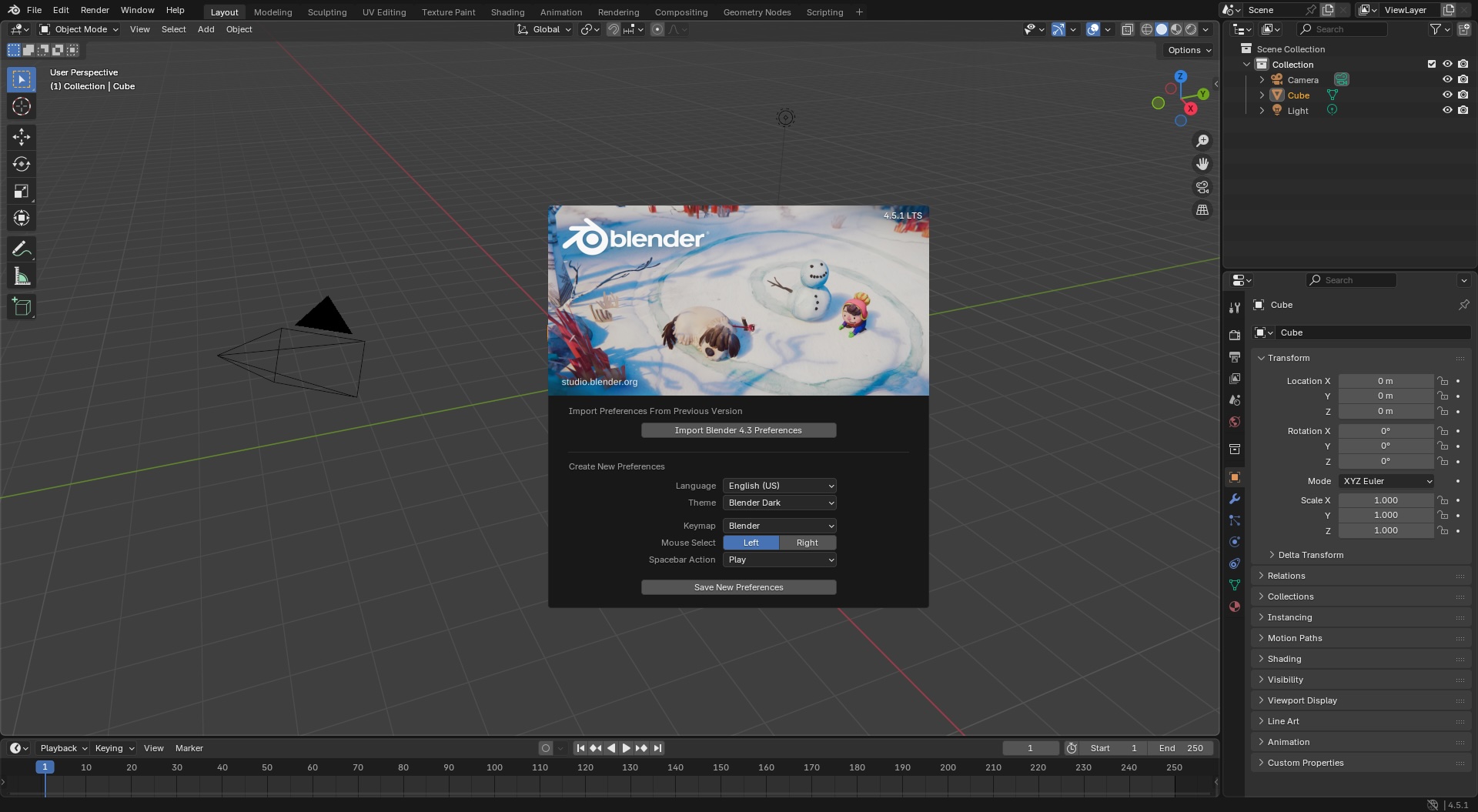
Core capabilities: Blender covers the full 3D pipeline — polygon modeling, sculpting, UV mapping, texturing, rigging, animation, simulation, rendering (Cycles and Eevee engines), compositing, and video editing. Version 4.x introduced improved asset browser, geometry nodes, and real-time EEVEE bloom. Blender supports Windows, macOS, and Linux. File formats supported include FBX, OBJ, glTF, STL, and Alembic.
Target users: Architectural visualization artists, character animators, game developers, VFX professionals, hobbyists. Blender is downloaded millions of times a year and is maintained by the non-profit Blender Foundation.
Learning curve: Steep but manageable. The default keymap relies on an extensive set of keyboard shortcuts. Official documentation, Blender Guru (YouTube), and the r/blender subreddit provide extensive free learning resources.
From architectural visualisation to intricate character sculpting, Blender can handle it all. Its power lies in its comprehensive feature set, covering everything from polygonal modeling and sculpting to animation, simulation, and high-quality rendering with its built-in Cycles and Eevee engines. The user interface, once notoriously difficult, has seen massive improvements, though newcomers should still expect a significant learning curve due to its sheer depth. However, a massive global community and endless free tutorials make mastering it achievable for anyone.
End-to-End Pipeline and Team Collaboration
Blender stands out by offering the entire 3D pipeline under one roof: modeling, rigging, animation, simulation, rendering, compositing, motion tracking, and even video editing. For those who want to blend 2D and 3D, Blender also includes a full 2D animation pipeline, making it easy to combine hand-drawn elements with 3D scenes. This approach helps teams—artists can each work on separate assets and bring everything together in one collaborative workflow.
Open Source, Constantly Evolving
As open-source software, Blender benefits from a passionate, ever-growing developer and user community. This community-driven approach means updates and new features are regularly introduced, often at a pace matching or even surpassing some paid alternatives. For example, the recent release of version 4.x includes exciting improvements like a more intuitive asset browser, geometry nodes, and enhanced real-time rendering with EEVEE. Plus, the Long Term Support (LTS) versions offer stability for studios and individuals who want a solid foundation for larger projects.
Ideal for Beginners and Professionals Alike
Blender has evolved well beyond its hobbyist roots—today, it’s widely used by independent creators and production studios alike, with its toolset rivaling that of industry giants. While the learning curve is undeniably steep—thanks in part to its many keyboard shortcuts and deep customization options—the active community and sheer volume of free resources smooth the path for newcomers. Whether you’re crafting animated shorts, designing for 3D printing, or building assets for big-budget productions, Blender’s flexibility and zero cost make it a must-try.
Blender's versatility makes it an unmatched free alternative to paid suites — and when you're ready to render, our guide on how to render Blender models shows a fast, AI-assisted route to photorealistic output.
Hard Surface vs. Digital Sculpting: Which to Choose?
When considering what kind of models to create, your choice between hard surface modeling and digital sculpting depends largely on your project goals.
Hard surface modeling shines when your focus is on mechanical, architectural, or man-made subjects. Think sleek vehicles, precise architectural exteriors, detailed machinery, or everyday products and furniture. This technique excels at creating crisp edges, clean surfaces, and structured forms—perfect for things like cars, robots, and modern interiors.
Digital sculpting, by contrast, is the go-to method for projects that demand organic, flowing shapes and natural detail. If you’re designing characters, creatures, animals, or anything with nuanced anatomical detail, sculpting allows you to push, pull, and mold digital clay with a level of artistry similar to working in real life. It’s ideal for faces, fantasy creatures, and expressive figurines where subtle imperfections and lifelike textures matter.
Many artists blend both workflows—using hard surface methods for props and environments, and digital sculpting for the characters who inhabit them. The best approach is to choose the modeling style that matches your subject’s form and the final visual effect you want to achieve.
Website: https://www.blender.org/
2. SketchUp for Web (aka SketchUp Free)
Developer: Trimble Inc. | License: Free with Trimble ID (personal use) | Platform: Browser (Chrome, Firefox, Edge, Safari) SketchUp for Web is the browser-based version of the famously intuitive 3D modelling software, making it a fantastic entry point for conceptual design and architectural visualisation. It brings the core "push-pull" modelling experience directly to your browser, eliminating the need for any installation. Access is granted after creating a free Trimble ID, which also provides 10 GB of cloud storage via Trimble Connect, allowing you to work on your projects from any modern device with an internet connection.
Core capabilities: SketchUp's push-pull modeling lets users extrude 2D shapes into 3D by clicking and dragging. The platform includes access to 3D Warehouse, a large public repository of free pre-made models (furniture, trees, vehicles, people). Export formats include SKP, STL, OBJ, and FBX. The free web version supports LayOut for 2D documentation but does not include advanced rendering or extension support.
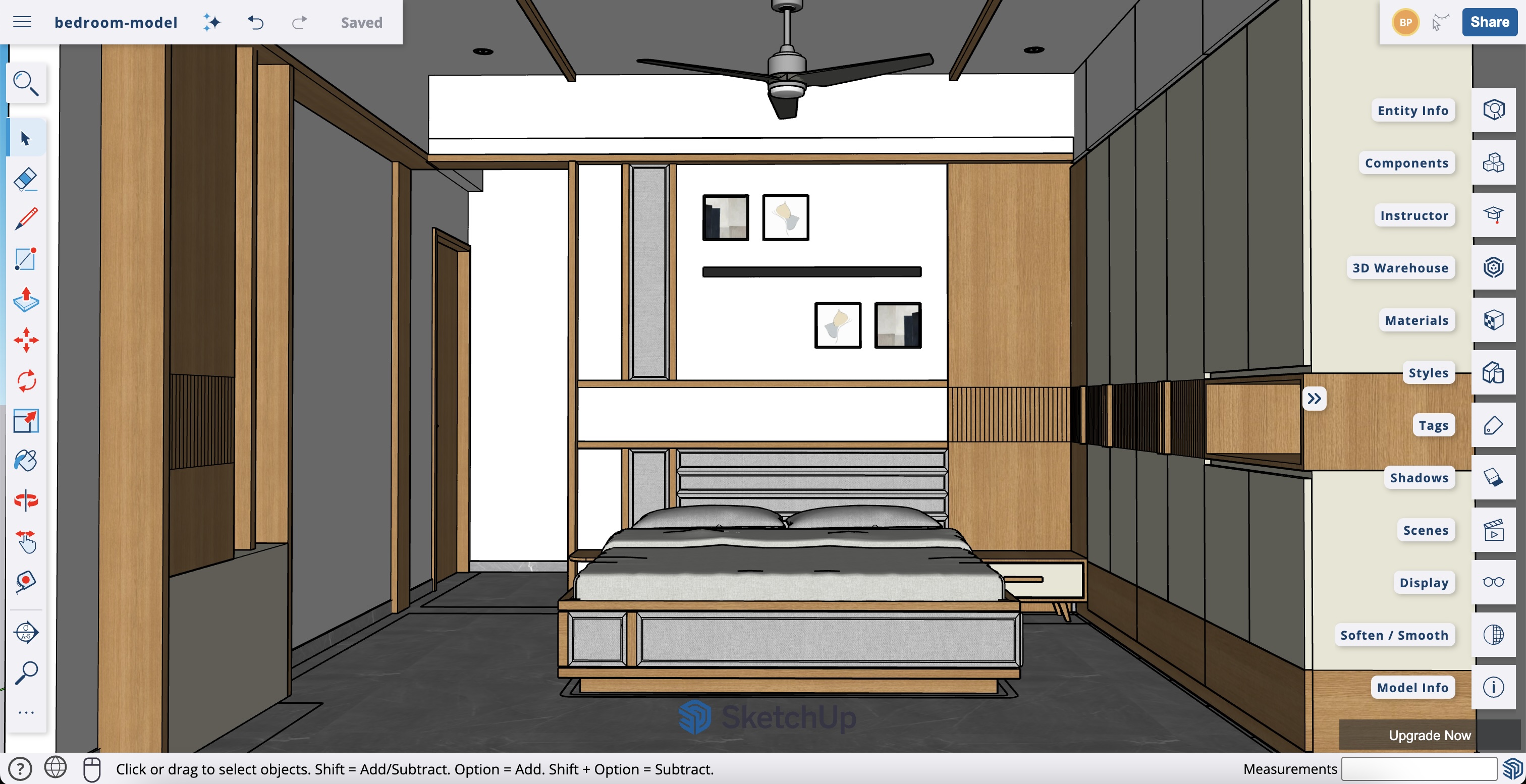
Target users: Interior designers, architects, real estate professionals, hobbyists. SketchUp is particularly strong for conceptual design phases and quick spatial mockups.
For those looking to get started, our beginner's SketchUp tutorial walks through your first model, and our guide on how to render in SketchUp covers turning it into a finished visual. Once your model is ready, you can export it and use a service like Vibe3D to transform the simple design into a photorealistic render.
Website: https://app.sketchup.com/app
3. FreeCAD (official site)
Developer: FreeCAD community (open source) | License: LGPL v2 | Platform: Windows, macOS, Linux
Where Blender offers artistic freedom, FreeCAD brings engineering precision to the table, making it a standout choice for the best free 3D modeling software when your projects demand accuracy. It is a powerful, open-source parametric modeler built for designing real-world objects. Instead of pushing and pulling vertices like in polygonal modeling, you create designs based on parameters and constraints, which is ideal for mechanical parts, product design, and architectural components.
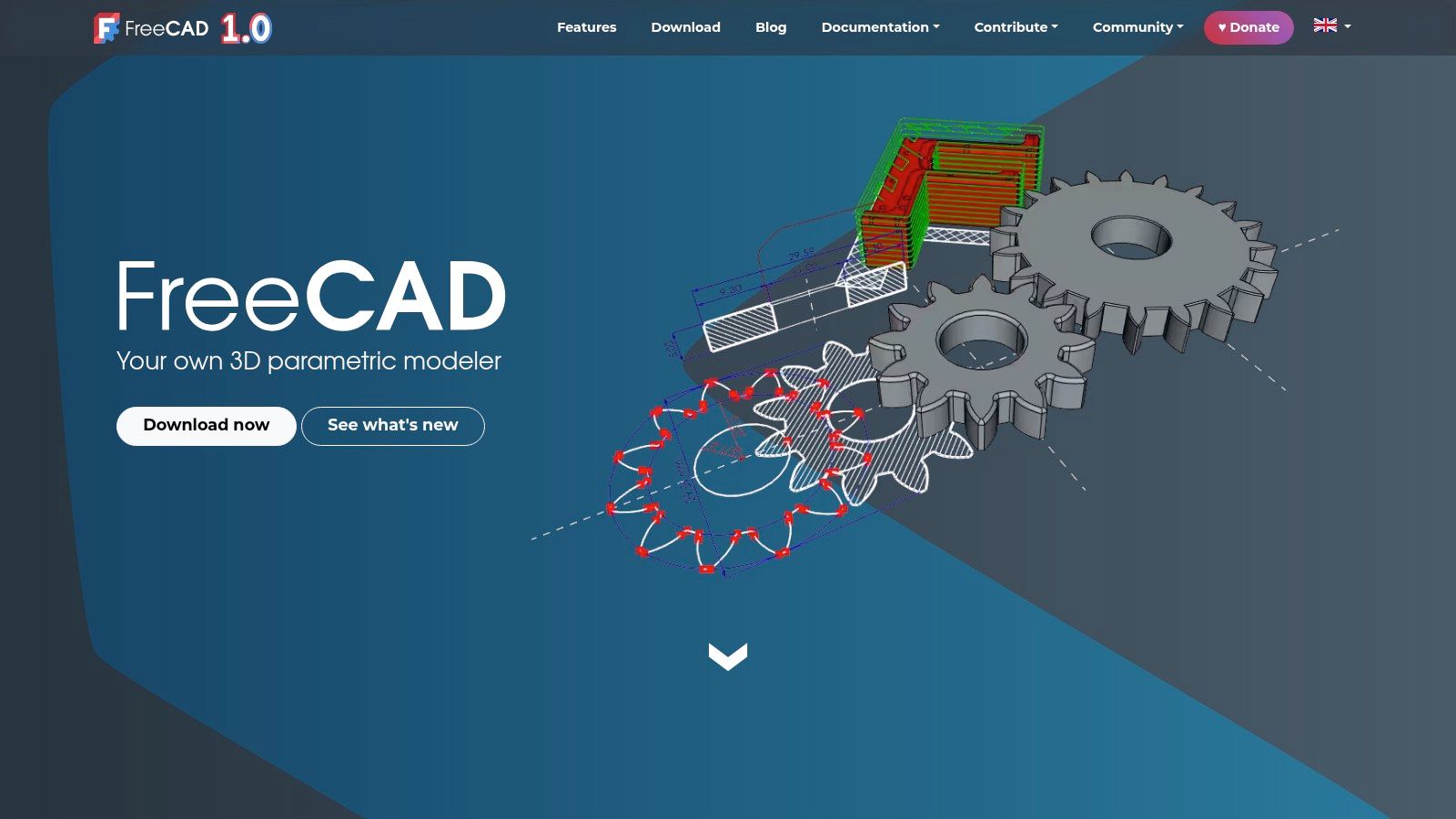
Core capabilities: FreeCAD uses a modular workbench architecture including Part Design (sketching and feature-based modeling), Sketcher (2D constraint-based geometry), Arch (BIM workflows), Mesh (mesh editing), Raytracing (rendering), and Robot simulation. File formats include STEP, IGES, OBJ, STL, DXF, and SVG. Parametric models store full history, allowing non-destructive editing.
Target users: Mechanical engineers, product designers, architects (BIM), makers, 3D printing enthusiasts.
The software's strength lies in its modular architecture, with different "workbenches" tailored for specific tasks like sketching, creating parts, or even architectural design (BIM). While its interface isn't as polished as commercial CAD programs like AutoCAD or Revit and has a notable learning curve, its capabilities for creating precise, 3D-printable models are exceptional for a free tool. The active community and constant development ensure it remains a viable and evolving platform for technical design.
Website: https://www.freecad.org/
4. Autodesk Fusion 360 (Personal Use)
Developer: Autodesk | License: Free for personal use (non-commercial), annual renewal required | Platform: Windows, macOS, browser (cloud rendering) Autodesk Fusion 360 is a cloud-based CAD/CAM/CAE tool traditionally aimed at product design and engineering, but its free Personal Use license makes it accessible for hobbyists. Unlike purely artistic modellers, Fusion 360 excels in parametric and precision modelling, making it one of the best free 3D modeling software options for creating functional parts, mechanical designs, and objects destined for 3D printing. It integrates design, engineering, and manufacturing into a single, cohesive platform.
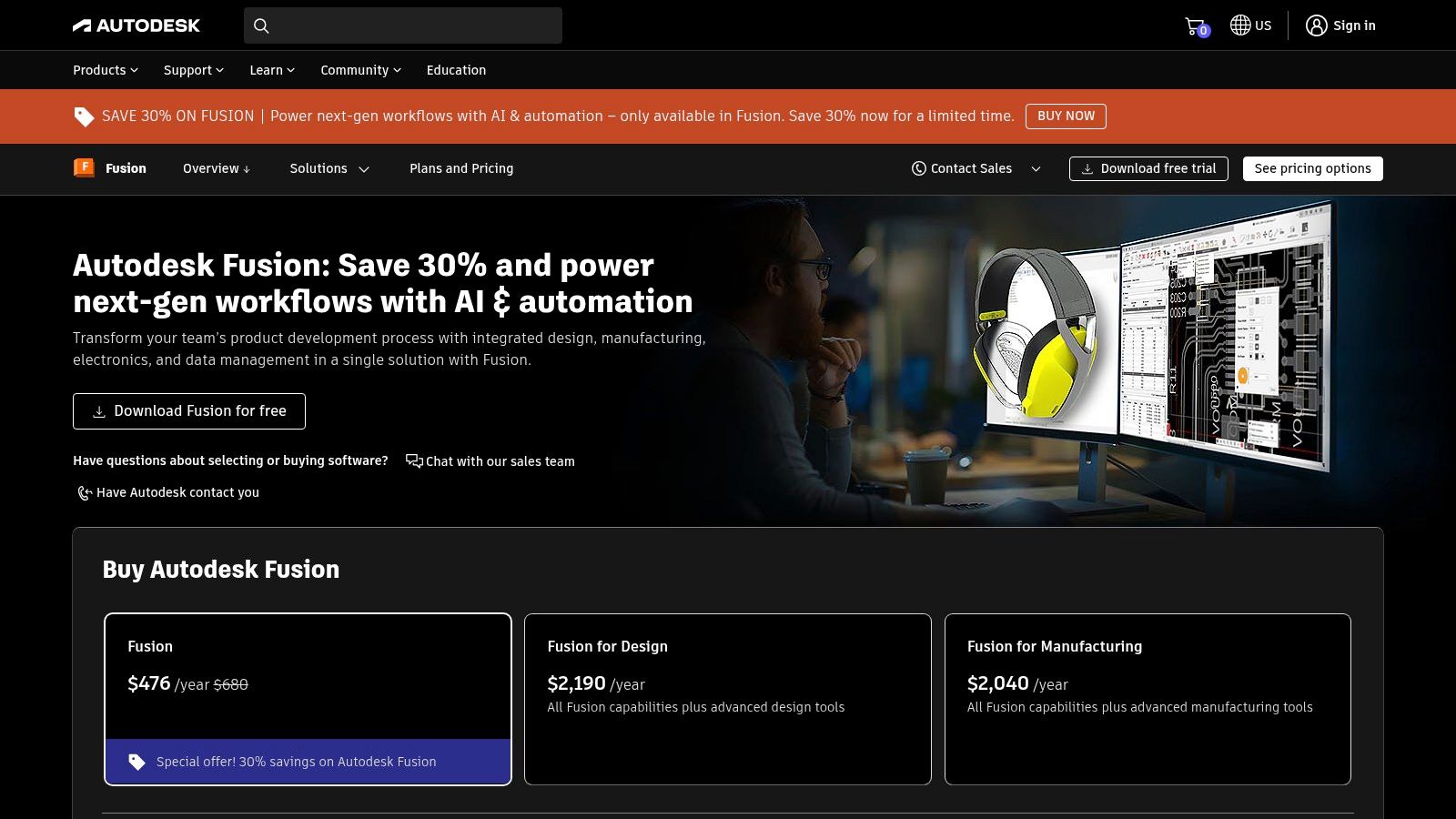
Core capabilities: Fusion 360 includes solid modeling, surface modeling, parametric editing, direct modeling, mesh editing, rendering, simulation (FEA), generative design, and CAM toolpaths. Export formats include STL, STEP, IGES, OBJ, and 3MF. The free tier covers most modeling and rendering features but limits CAM operations and cloud storage to 10 GB.
Target users: Mechanical engineers, product designers, hobbyists, makers, 3D printing enthusiasts.
The free tier provides strong solid and surface modelling tools, though some advanced features like full CAM capabilities are limited. Its modern interface and workflow are generally more intuitive than many traditional CAD programs, but it still requires a mindset geared towards engineering precision. While not the first choice for organic sculpting or architectural visualisation, for which specialised architectural rendering software might be more suitable, its capabilities for creating detailed, accurate models are superb. Access requires creating an Autodesk account and renewing the free license annually.
Website: https://www.autodesk.com/products/fusion-360/personal
5. Rhino 3D
Developer: McNeel | License: Perpetual (one-time purchase), with a 90-day free trial | Platform: Windows, macOS
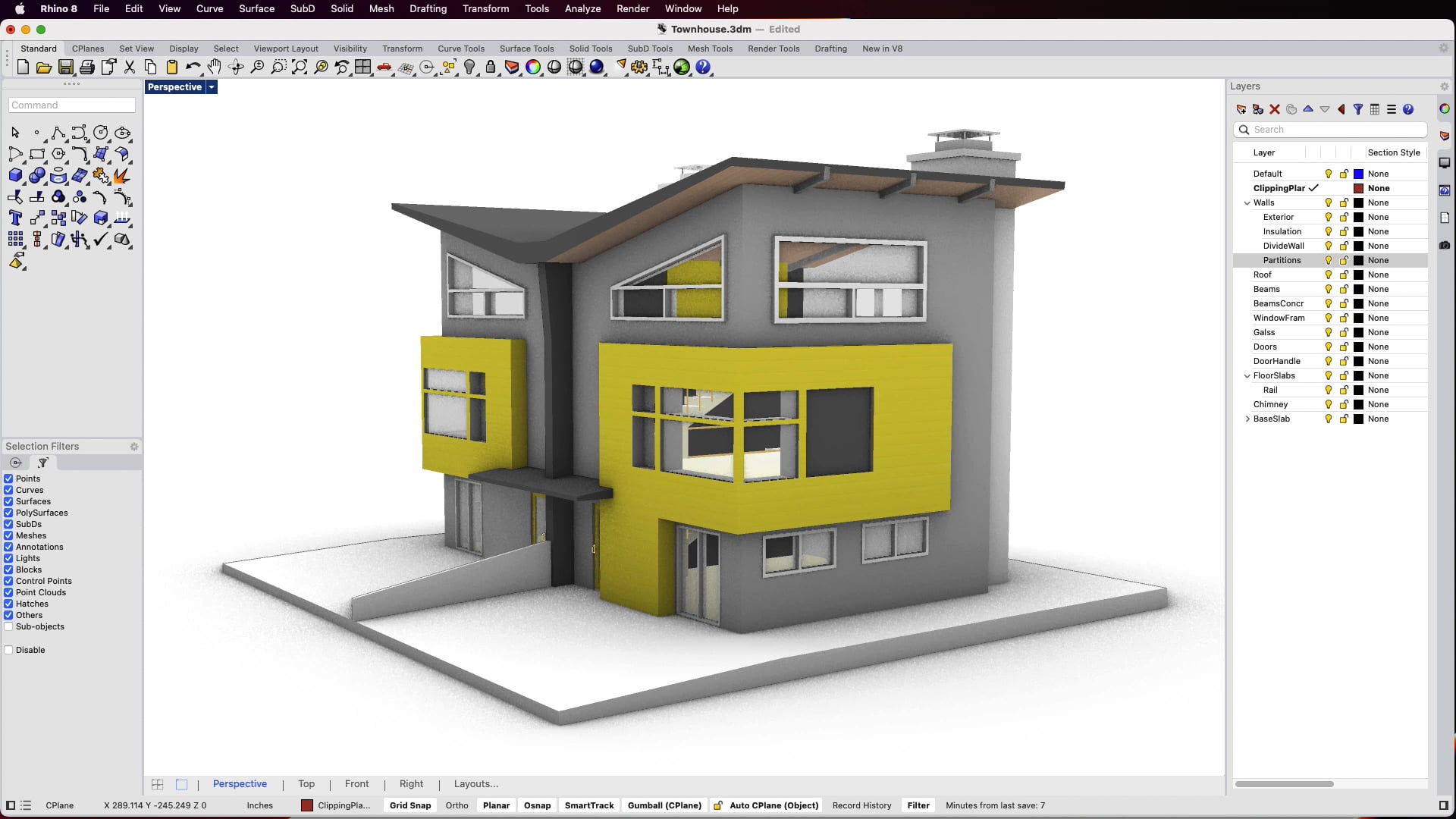
Rhino 3D stands out as a powerhouse for anyone needing exceptional control over surfaces and complex NURBS (Non-Uniform Rational B-Splines) modelling. Unlike many modern 3D tools that focus on mesh or polygon-based modeling, Rhino is built from the ground up for mathematical surface precision—essential for industrial designers, automotive prototyping, and any application where truly accurate curvature and form matter.
Key features: Rhino’s toolkit is centered around NURBS-based modeling, which enables the creation of smooth, mathematically-precise surfaces beyond what typical mesh modelers can offer. It supports both Mac and PC, handles native mesh editing, and accommodates imported scans (including point clouds and LIDAR). Integrated rendering—now with raytracing—is bundled in, and Rhino’s open-ended plugin ecosystem means you can extend capabilities for everything from technical drawing automation to advanced visualisation.
A major strength is Grasshopper, a visual programming tool included with Rhino that allows users to build parametric models and automate complex forms—no coding experience required. Scripting options also exist for advanced users who wish to customize their workflow even further.
Who should use Rhino: Rhino’s strength in precision surface modeling makes it ideal for industrial designers, architects, jewelry makers, product engineers, and anyone working on objects where surfaces—not just solids—drive the final look or function. It’s a staple in fields that demand more than basic box modeling, and its perpetual license model is a refreshing alternative to the subscription-only trend.
That said, Rhino’s interface can feel unconventional if you’re moving from more traditional polygon-based modeling software, and the sheer breadth of tools can present a learning curve. However, for those focused on surface control and NURBS, Rhino is hard to beat.
Website: https://www.rhino3d.com/
6. Tinkercad (official)
Developer: Autodesk | License: Free (cloud-based) | Platform: Browser (all modern browsers)
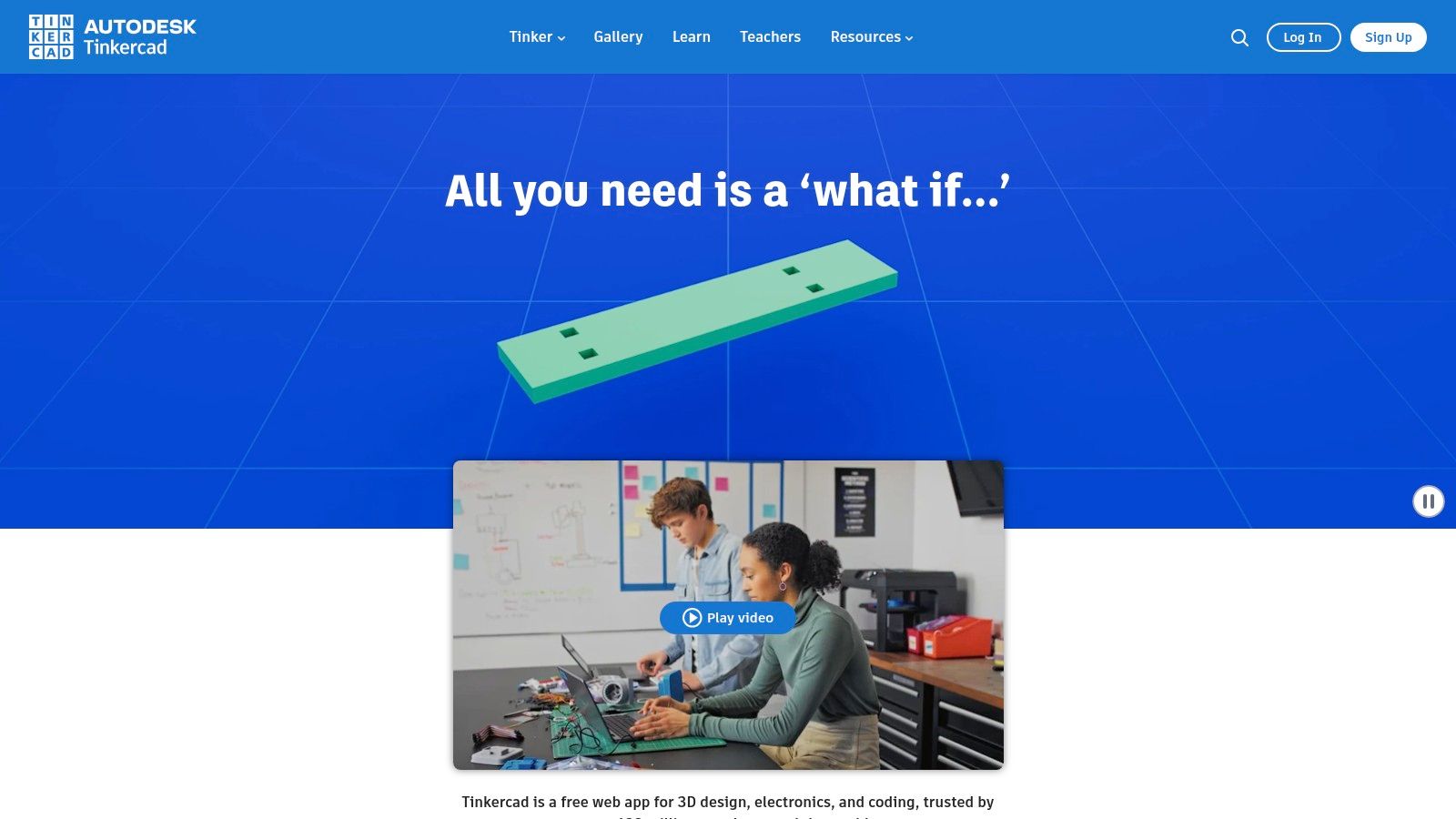
Tinkercad, by Autodesk, is the definitive entry point into the world of 3D, making it one of the best free 3D modeling software options for absolute beginners. It operates entirely within your web browser, stripping away the complexity found in professional suites to offer a simple, drag-and-drop system. Users create models by adding and subtracting basic shapes, a method known as constructive solid geometry (CSG), which is incredibly intuitive for newcomers, educators, and hobbyists looking to design simple objects for 3D printing.
Core capabilities: Tinkercad uses constructive solid geometry — users combine primitive shapes (boxes, cylinders, spheres) using union, subtract, and intersection operations to build models. It supports STL export for 3D printing, OBJ for 3D rendering, and VRML for web embedding. Projects auto-save to Autodesk cloud. The platform includes built-in lesson plans for educators.
Target users: Students (ages 8+), educators, 3D printing beginners, hobbyists, classroom teachers.
Its primary strength is its accessibility; there is no software to install, and projects are saved to the cloud automatically. This makes it a fantastic tool for classrooms and quick prototyping. While it lacks the advanced features of software like SketchUp or the parametric power of Fusion 360, it was never designed to compete with them. Instead, it excels as a foundational tool. For those who start here, the skills learned can be a stepping stone towards more complex programmes, and even simple models exported from Tinkercad can be brought into Vibe3D to be transformed into surprisingly professional, photorealistic renders.
Website: https://www.tinkercad.com/
7. Onshape Free (browser CAD)
Developer: PTC (formerly Onshape Inc.) | License: Free for non-commercial use (all documents must be public) | Platform: Browser (Chrome, Firefox, Edge, Safari) — no download required
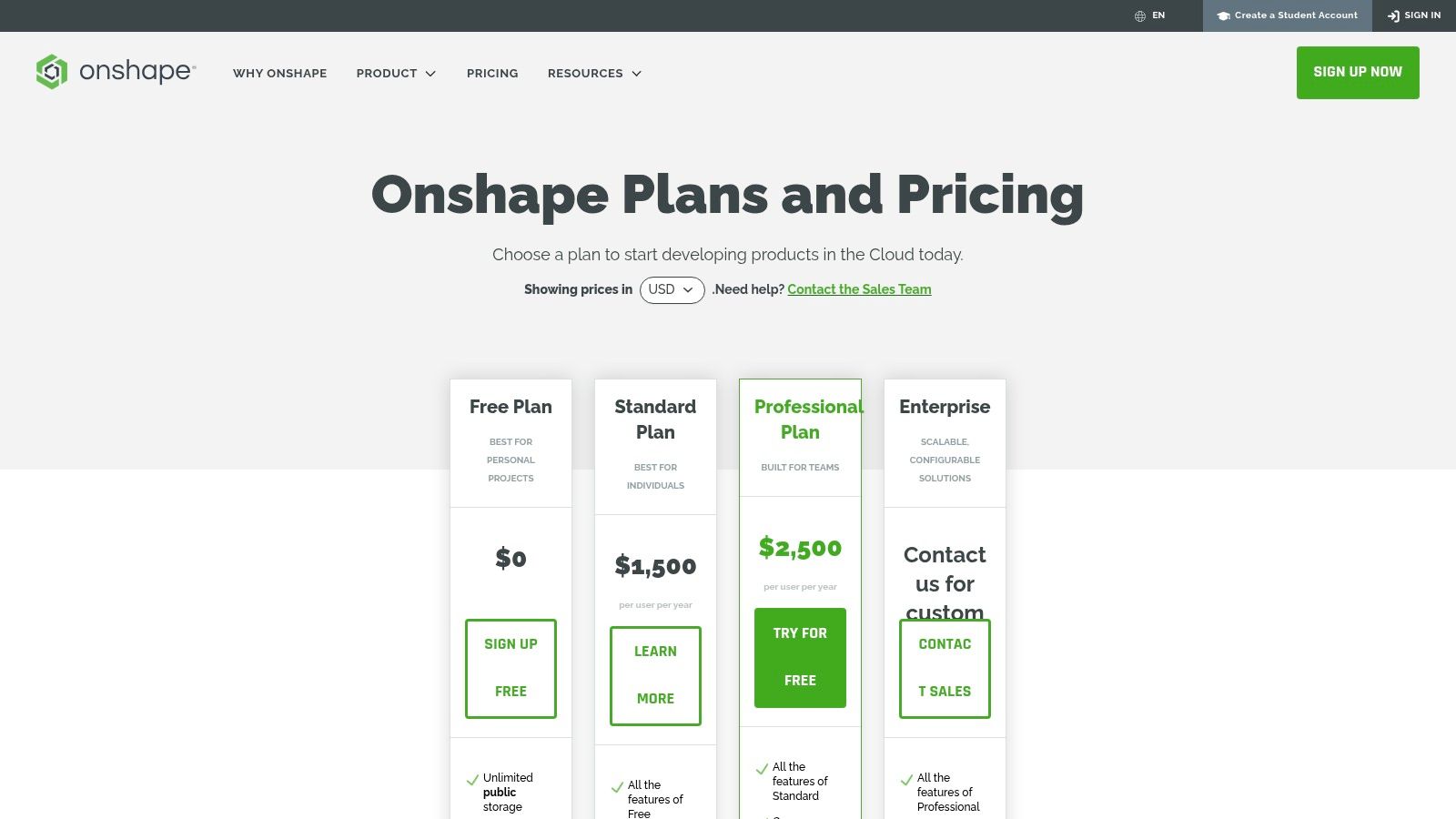
Onshape turns the traditional CAD software model on its head by delivering professional-grade parametric modeling entirely through a web browser. As a cloud-native platform, it eliminates downloads, installations, and the need for a powerful local machine. The free plan offers the full feature set for non-commercial projects, making it an incredibly powerful piece of free 3D modeling software for hobbyists, students, and open-source creators focused on mechanical design and engineering.
Core capabilities: Onshape provides parametric part design, complex assemblies, sheet metal, Weldments, drawings, and best-in-class real-time collaboration tools that allow multiple users to work on the same model simultaneously. Data is stored in the cloud with full version history. Export formats include STEP, IGES, STL, OBJ, and Parasolid.
Target users: Engineers, product designers, teams needing real-time collaboration, students.
Its core strengths are parametric part design, complex assemblies, and best-in-class real-time collaboration tools that allow multiple users to work on the same model simultaneously. Unlike the more organic modeling workflows found in Blender, Onshape is built for precision engineering. The major trade-off for free access is that all your documents must be public, making it unsuitable for proprietary work. While not a primary tool for rendering, the precise models it creates can be exported for use in various architectural visualisation software to achieve stunning results.
Website: https://www.onshape.com/en/pricing
Consider Your Hardware Needs
While Onshape’s cloud-based approach means you don’t need a high-powered workstation to access its features, 3D modeling as a whole can be resource-intensive—especially if you plan to work with large assemblies, render complex scenes, or use other software in your pipeline. For users venturing into more demanding applications, it’s worth considering your hardware setup. A solid laptop for engineering students, a mobile workstation, or a dedicated desktop can make a noticeable difference when working with traditional, locally-installed CAD or rendering software. However, for browser-based modeling like Onshape, a reliable internet connection and a modern browser are your primary requirements.
8. Wings 3D (official)
Developer: Bi studio (Wings 3D team) | License: Open source (free) | Platform: Windows, macOS, Linux (very lightweight)
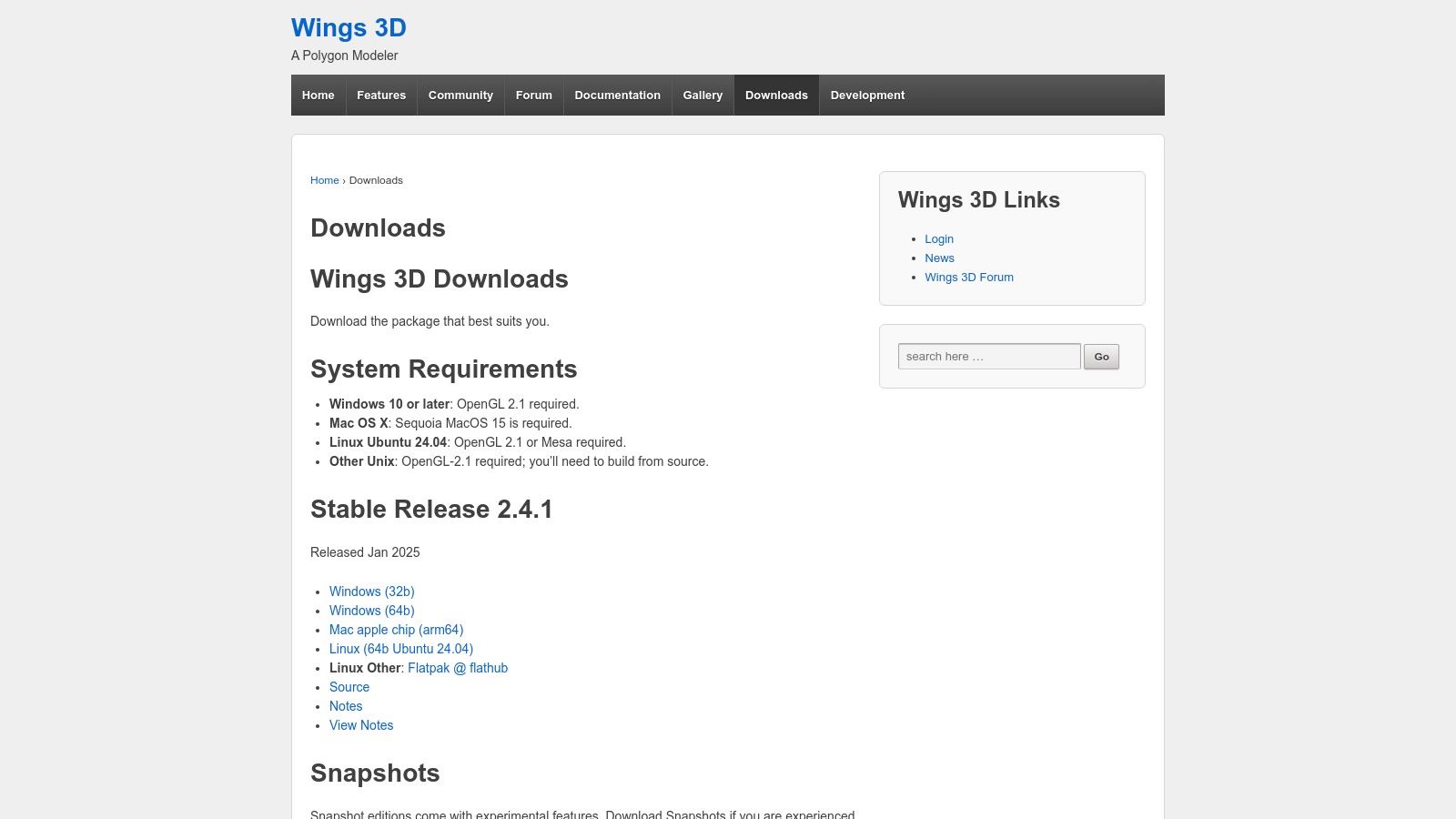
Wings 3D offers a refreshing, back-to-basics approach in the world of free 3D modeling software. It’s an open-source subdivision modeler designed with one primary goal: creating clean, low-to-mid-polygon meshes efficiently. Instead of overwhelming users with features like animation or complex rendering, its strength lies in its simplicity and focused toolset, making it an excellent starting point for learning the fundamentals of polygonal and box modeling.
Core capabilities: Wings 3D focuses exclusively on polygon and subdivision modeling with advanced UV mapping and basic texturing. It uses a context-sensitive interface where right-click menus change based on selection (vertex, edge, face). No animation, sculpting, or rendering built-in. Export formats include OBJ, STL, FBX, 3DS, and LWO.
Target users: Modelers focused on low-to-mid polygon assets for games, 3D printing base models, learners building foundational polygon modeling skills.
The interface is minimalist and context-sensitive, meaning your right-click menu changes based on what you have selected (vertex, edge, or face). This streamlined workflow allows for surprisingly fast modeling once you get the hang of it. Because it’s so lightweight, it runs smoothly on almost any computer, which is a major advantage over more resource-heavy programs. While it lacks the rendering capabilities found in software like SketchUp or 3ds Max, it excels at creating base models.
You can create your architectural or product shapes in Wings 3D and then export them to a platform like Vibe3D to apply materials, lighting, and generate stunning photorealistic renders. This makes it a great supplementary tool in a broader design pipeline.
Website: https://www.wings3d.com/download-2/
Does More RAM Improve 3D Modeling Performance?
Absolutely—when it comes to 3D modeling, having more RAM often translates to a noticeably smoother experience, especially as your projects become more complex.
RAM, or random access memory, acts as your computer’s short-term workspace, allowing multiple operations to be handled simultaneously. In practical terms, more RAM lets you work with larger scenes, multiple models or high-resolution textures without constant lag or crashing. If you’re only creating simple, low-poly models, you might be fine with the baseline (8 GB or so). But as soon as you move to denser meshes, intricate textures, or more ambitious scenes, extra memory becomes essential.
Here's how more RAM makes a difference:
- Prevents Slowdowns: More RAM means your computer can handle more geometry, undo steps, and high-res images before resorting to slower hard drive storage.
- Improves Multitasking: If you like to run reference images, tutorials, or even other software while modeling, additional RAM keeps everything running smoothly.
- Supports Larger Projects: The larger and more detailed your models, the more demanding they are on memory. Adding RAM allows you to push these boundaries. While RAM isn’t the only factor (a decent CPU and GPU matter too), it’s one of the easiest and most effective upgrades for any system dedicated to 3D work. If your budget allows, always opt for as much memory as possible—it’s a decision your future self, facing a dense scene or a tight deadline, will thank you for.
9. MeshLab (official)
Developer: CNR - Visual Computing Lab (Italy) | License: GPL v2 | Platform: Windows, macOS, Linux
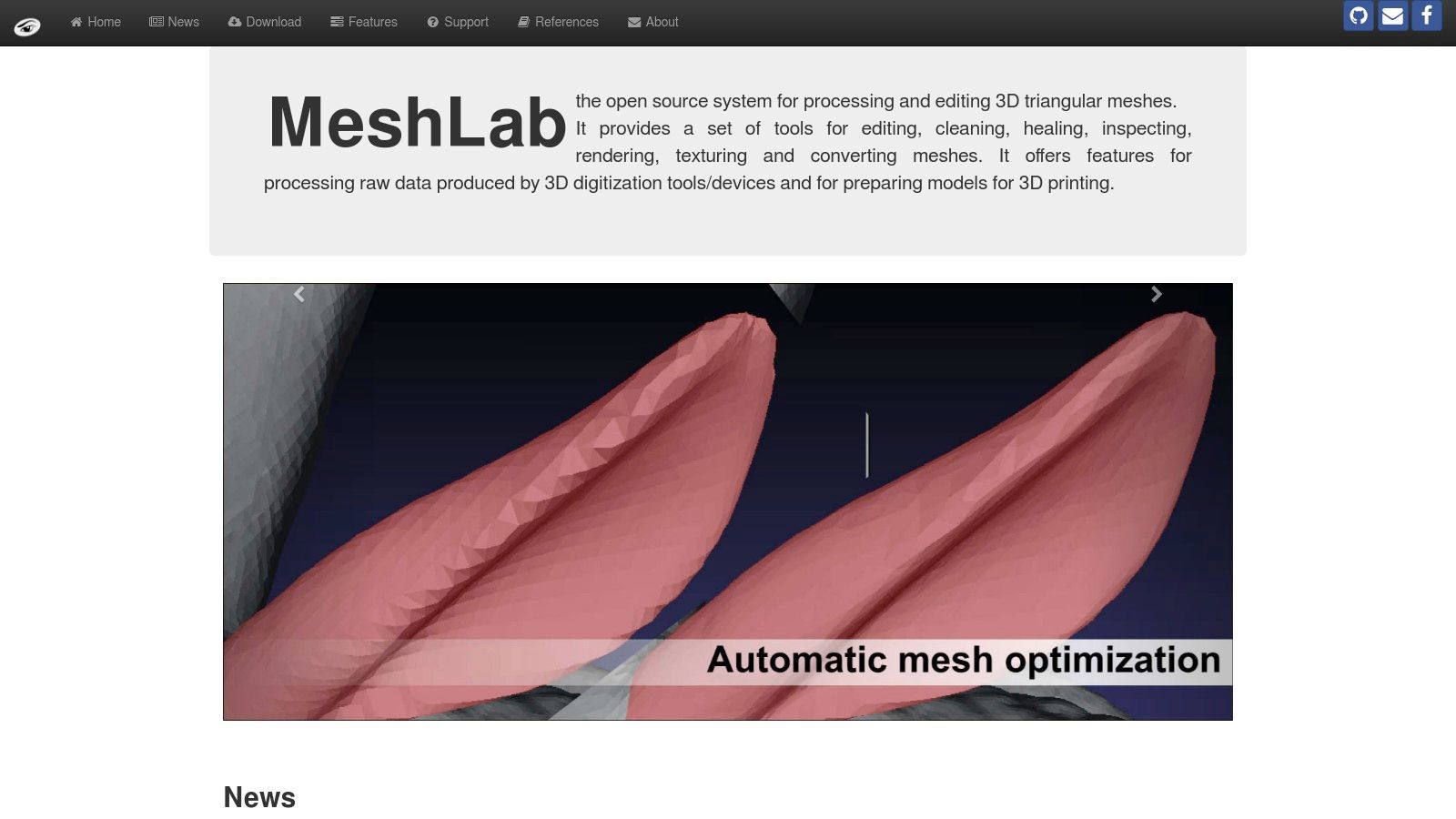
MeshLab is not your typical 3D modeling software for creating objects from scratch. Instead, it’s a powerful open-source tool specifically designed for processing and editing existing 3D triangular meshes. It excels where other programs falter, making it an essential utility for anyone working with 3D scanned data, preparing models for 3D printing, or cleaning up complex geometry.
Core capabilities: MeshLab provides automatic mesh repair (holes, non-manifold edges, duplicate vertices), mesh simplification, remeshing, parameterization, surface smoothing, texture transfer, and format conversion. Supported formats include PLY, STL, OFF, OBJ, and COLLADA. It is the industry standard for processing 3D scan data from photogrammetry or laser scanning.
Target users: 3D scan operators, reverse engineers, architects, cultural heritage professionals, 3D printing specialists. You can download it directly from the official site, free of charge.
Its primary strength lies in its comprehensive toolkit for repairing, cleaning, and converting meshes. If you've ever received a messy scan or a model full of holes and non-manifold edges, MeshLab provides the automatic filters and manual editing tools to fix it. While its user interface can feel more like a scientific instrument than an artist's canvas and lacks the parametric or polygonal modeling features found in software like SketchUp or 3ds Max, its specialisation makes it invaluable. For professionals in fields like reverse engineering, cultural heritage, and architecture, MeshLab is often the best free tool for the job.
Website: https://www.meshlab.net/
10. OpenSCAD (official)
Developer: OpenSCAD community | License: GPL v2 | Platform: Windows, macOS, Linux
OpenSCAD isn't your typical 3D modeller; it's a unique CAD tool that appeals directly to programmers and engineers. Instead of pushing and pulling vertices with a mouse, you build models by writing code. This script-based approach uses Constructive Solid Geometry (CSG), allowing you to define shapes and operations programmatically.
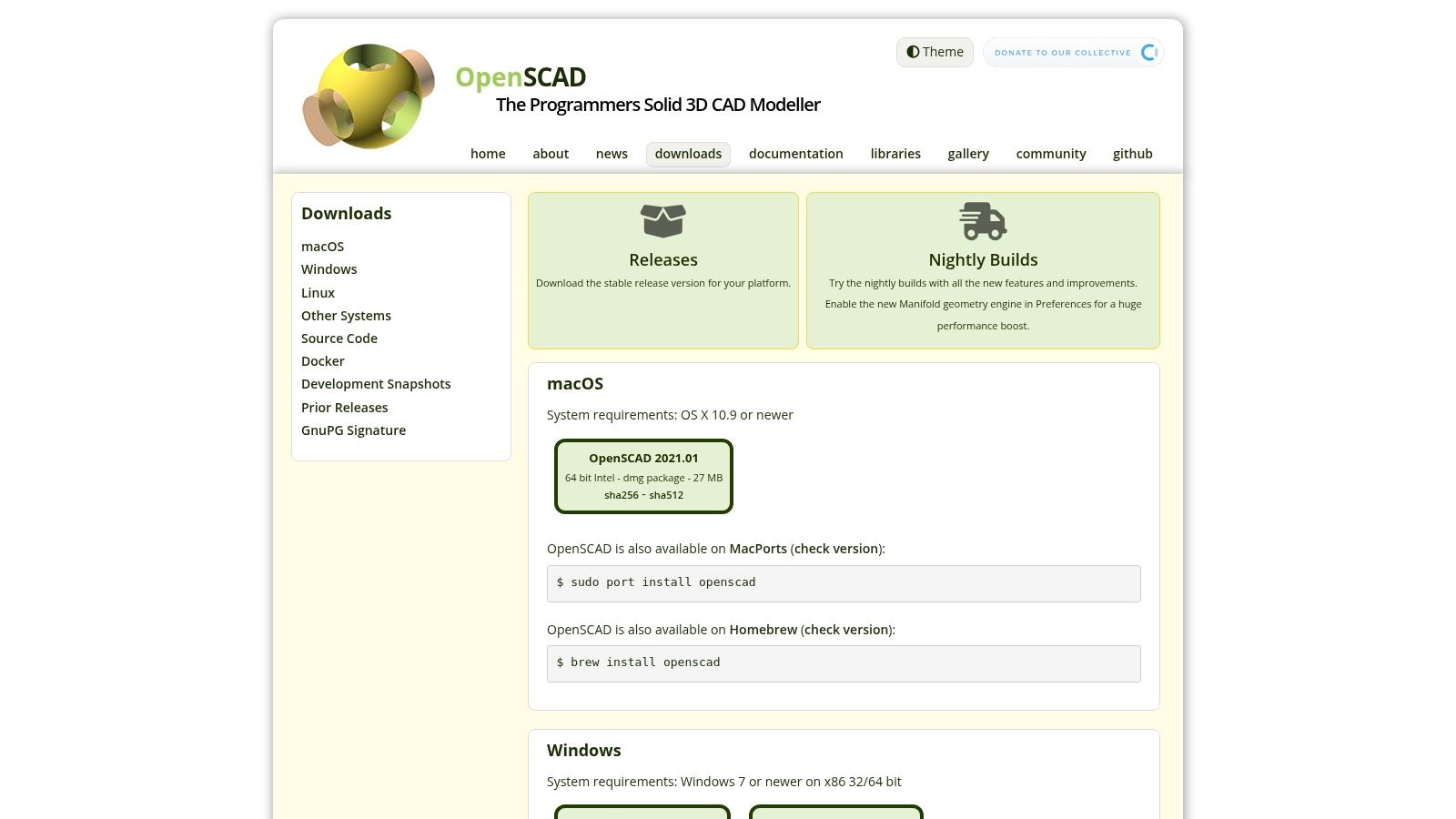
Core capabilities: OpenSCAD uses a declarative scripting language to define 2D/3D geometry. Key operations include union, difference, and intersection (CSG), plus extrusion and rotation. Variables enable parametric design — a single variable change regenerates the entire model. It does not have an interactive viewport; renders are previewed or exported on demand. Export formats include STL, OFF, AMF, and 3MF.
Target users: Programmers, mechanical engineers, 3D printing designers who need reproducible, parameter-driven parts.
The power of this system is its reproducibility and customisation. You can change a single variable in your script to alter an entire model's dimensions, making it perfect for generating variants of a design. While this code-first workflow is a major departure from direct manipulation modellers like SketchUp or Blender and is not suited for organic sculpting, it's unparalleled for functional, mechanical components. For users who value precision over artistic freedom, OpenSCAD provides a logical, reliable, and completely free framework. The final models can then be exported for photorealistic rendering to visualise the final product in its environment.
Website: https://openscad.org/downloads.html
Note on specialized tools: We've focused this 2026 list on tools relevant to architecture, interior design, product, and general 3D work. Niche character-only tools (like VRoid Studio for anime avatars) and the discontinued free ZBrushCoreMini are left off. For free digital sculpting, Blender (entry #1) includes a complete sculpting toolset.
Top 10 Free 3D Modeling Software Feature Comparison
| Tool | Core Features / Workflow | User Experience / Quality | Value & Pricing | Target Audience | Unique Selling Points |
|---|---|---|---|---|---|
| Blender | Full 3D suite: modeling, animation | Professional, active updates | ★★★★★ Free, open-source | Pros, hobbyists | Massive feature set, no paywalls |
| SketchUp for Web | Browser-based conceptual modeling | Intuitive, fast start | ★★★★☆ Free with Trimble account | Beginners, architects | No install, 3D Warehouse access |
| FreeCAD | Parametric CAD for engineering | Functional but less polished UI | ★★★★★ Free, open-source | Engineers, makers | Strong CAD focus, parametric workflows |
| Autodesk Fusion (Personal) | Integrated CAD/CAM/CAE platform | Modern UI, cloud features | ★★★★☆ Free, non-commercial | Hobbyists needing CAD and manufacturing | Manufacturing toolset, cloud collaboration |
| Rhino 3D | NURBS surface & precision modeling | Powerful, unconventional UI | ★★★☆☆ Paid, 90-day free trial | Industrial & product designers | NURBS precision, Grasshopper parametrics |
| Tinkercad | Browser solid modeling, education focus | Very easy, beginner-friendly | ★★★★★ Free | Students, educators, beginners | Education oriented, drag-drop modeling |
| Onshape Free | Cloud parametric CAD with collaboration | Smooth multi-user editing | ★★★★☆ Free, public docs only | Teams, pros needing collaboration | Real-time collaboration, web-native |
| Wings 3D | Subdivision polygonal modeling | Simple, lightweight UI | ★★★★★ Free, lightweight | Modelers needing low-mid poly | Focused poly modeling, low resource use |
| MeshLab | Mesh cleaning and processing | Technical, research lab support | ★★★★★ Free | Scan users, 3D printing prep | Best mesh repair and processing tools |
| OpenSCAD | Script-based parametric modeling | Code-centric, reproducible results | ★★★★★ Free | Programmers, 3D print designers | Code-driven CAD, parametric via scripting |
Blender stands tall as the ultimate free, open-source 3D creation suite—trusted by everyone from indie creators to established studios worldwide. It brings together a comprehensive toolset for modeling, sculpting, animation, rigging, simulation, rendering, compositing, and even video editing, all within a single, ever-evolving package.
Why choose Blender
Its deep modeling tools and non-destructive workflows make it a favorite for both stylized and photorealistic projects. Animators benefit from a full suite of rigging and pose tools, non-linear animation, and constraints. The built-in Cycles and Eevee render engines offer stunningly realistic output, with real-time previews and support for advanced features like subsurface scattering, volumetrics, and GPU acceleration.
Pro-level features, no restrictions
Blender doesn’t hold back on features: you’ll find sculpting brushes rivaling paid software, a powerful physics engine for simulating fluids, smoke, cloth, and particles, and a node-based compositor for post-processing—all with no paywalls or feature locks. Frequent updates introduce new capabilities, such as geometry nodes for procedural modeling and ever-improving asset libraries.
Who is it for
Whether you’re a professional animator, a hobbyist, or a VFX artist, Blender’s massive feature set and active community make it a go-to choice. It’s used in everything from indie games to animated shorts and even in major film pipelines.
What’s the catch
Despite its polished UI, Blender’s depth can be intimidating at first, especially for beginners. However, a thriving ecosystem of tutorials, plugins, and community support helps you climb the learning curve fast.
Standout advantages
- No license fees, subscriptions, or paywalls—every tool is open to everyone
- Active development and a passionate user community
- Cross-platform support for Windows, Mac, and Linux
- Extensive plugin system and scripting for customization Blender is more than just a free alternative—it’s a powerhouse that lets you bring your creative visions to life, no matter your experience level.
From Model to Masterpiece: The Next Step with Vibe3D
That covers the best free 3D modeling software available today. We looked at the all-in-one power of Blender, the intuitive architectural sketching of SketchUp Free, and the precision of parametric modellers like FreeCAD. Each tool suits different needs and workflows.
The biggest takeaway is that you no longer need a hefty budget to start creating professional-grade 3D assets. The key is to match the tool to your ambition. A brief comparison shows clear distinctions: for conceptual architectural design, SketchUp’s simplicity is unmatched, whereas a full BIM workflow in a tool like Revit (a paid software) demands far more technical detail. For versatile artistic creation, Blender rivals the capabilities of expensive suites like 3ds Max. The best software is the one that gets your specific job done with the least friction.
Trust Your Creative Flow
Choose the software that fits your workflow and project type. Most of these options are fully free or offer a free tier, so it's worth trying two or three before committing. Whether you're modeling a building, sculpting a character, or engineering a mechanical part, the best tool is the one that matches your specific task with the least friction.
Turning Your Model into a Client-Winning Visual
But creating an accurate model in SketchUp or 3ds Max is only half the job. Rendering is the step that turns a collection of polygons into a photorealistic image — the one that communicates your design intent to clients and stakeholders.
Instead of configuring complex render engines, you can export the model you built in any of these tools and use Vibe3D to generate portfolio-ready visuals in seconds. It's built to pair with the free modeling tools above: model in SketchUp, Blender, or FreeCAD, then let Vibe3D's AI handle lighting, materials, and atmosphere to produce photorealistic renders. The result is an end-to-end workflow that's fast, low-cost, and good enough for client-facing work.
Frequently Asked Questions
What is the best free 3D modeling software for beginners?
Tinkercad and SketchUp Free are the most accessible options for beginners. Tinkercad uses constructive solid geometry (drag-and-drop basic shapes), while SketchUp offers the intuitive "push-pull" modeling method. Both run in a browser with no installation required.
Is Blender really free?
Yes. Blender is completely free under the GNU General Public License (GPL v2). It is open-source with no paywalls, no feature restrictions, and no subscription required. It can be downloaded from blender.org or via Steam.
What is the best free software for 3D printing?
FreeCAD, OpenSCAD, and Fusion 360 Personal Use are top choices. FreeCAD and OpenSCAD are completely free and open-source. Fusion 360 offers a free Personal Use tier for non-commercial 3D printing projects.
Can I use free 3D modeling software commercially?
It depends on the software. Blender, FreeCAD, Wings 3D, MeshLab, and OpenSCAD allow commercial use with no restrictions. Autodesk Fusion Personal Use and Onshape Free are free for non-commercial projects only. SketchUp Free's free tier is for personal use.
What is parametric modeling?
Parametric modeling uses parameters and constraints to define geometry, allowing you to change dimensions and regenerate models automatically. FreeCAD, Fusion 360, and Onshape are parametric modelers. Blender and SketchUp use direct manipulation.
What to Consider When Choosing 3D Modeling Software
Whether you're just starting or looking to expand your creative toolkit, choosing the right 3D modeling software depends on a few important factors:
Your Intended Use
Think about how you plan to use the software. Some tools excel at modeling and sculpting, while others are built for motion graphics, architecture, or even 3D printing. Make sure the features align with your goals—whether that's creating simple prototypes, detailed mechanical parts, or artistic scenes.
Skill Level
If you're a beginner, look for software with a gentle learning curve and plenty of tutorials. Some advanced tools can be overwhelming at first, so starting with beginner-friendly platforms like Tinkercad or SketchUp Free can make the experience much smoother.
Budget
There are powerful paid options out there, but you don’t have to spend a fortune to get started. Many free and open-source tools (like Blender and FreeCAD) are capable enough for personal and even professional use. If your needs grow, you can always upgrade later.
Hardware Requirements
3D modeling software can be demanding on your computer. Before diving in, check the recommended specs to ensure your device can handle the workload—especially for complex renders or high-poly models.
Creative Workflow
Ultimately, the best software is the one that feels right for you and supports your creative process. Take advantage of free trials or free versions to see which interface and toolset match your workflow and preferences.
Finding the right 3D modeling software is a balance of features, usability, and personal fit. Explore a few options and see which one inspires your creativity.
Ready to see your models rendered? Skip the complex render-engine setup and generate photorealistic visuals in seconds — try Vibe3D free to turn your 3D model into a finished image.